
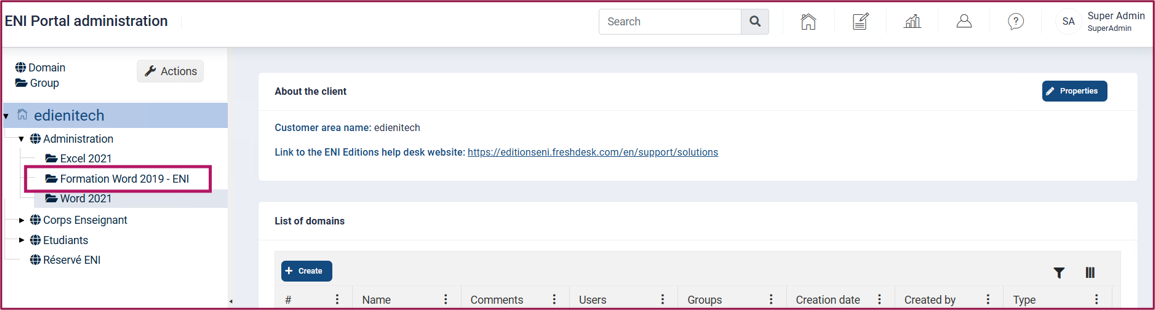
Select the group to which you want to associate e-learning courses in the navigation panel.
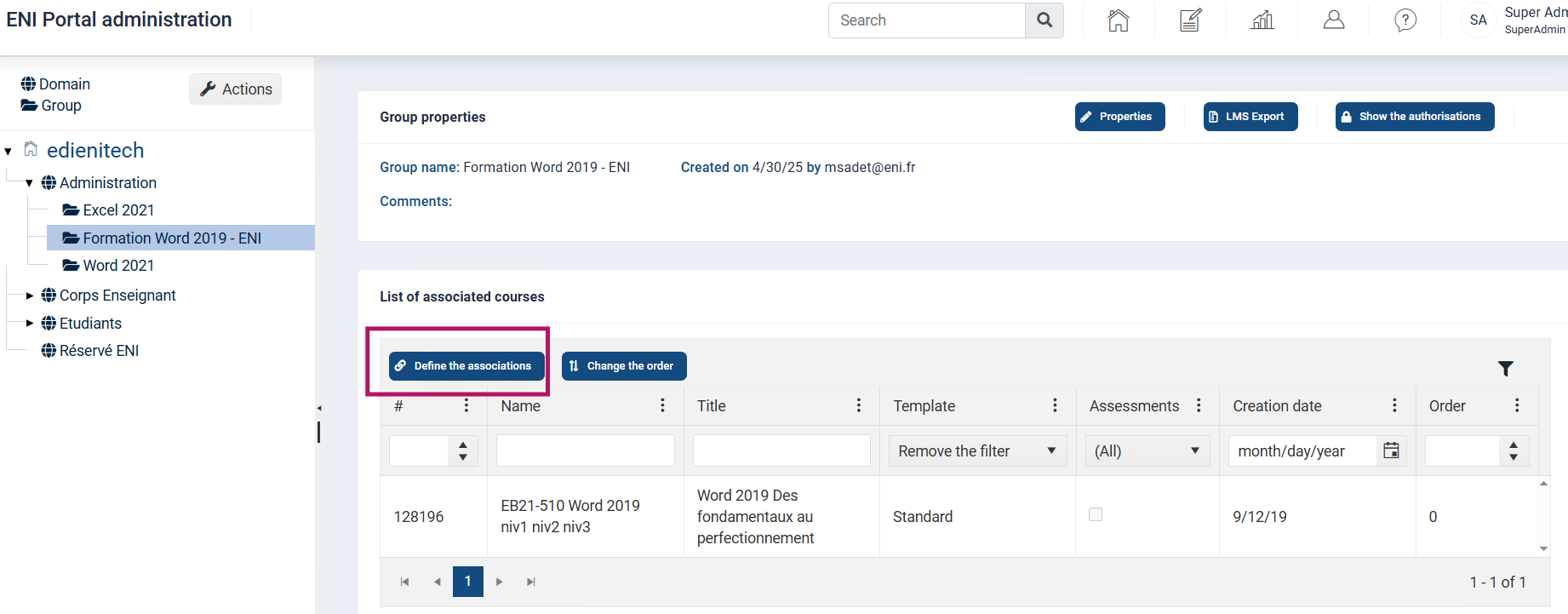
In the central panel, activate Define associations in the List of associated courses to associate the desired course.
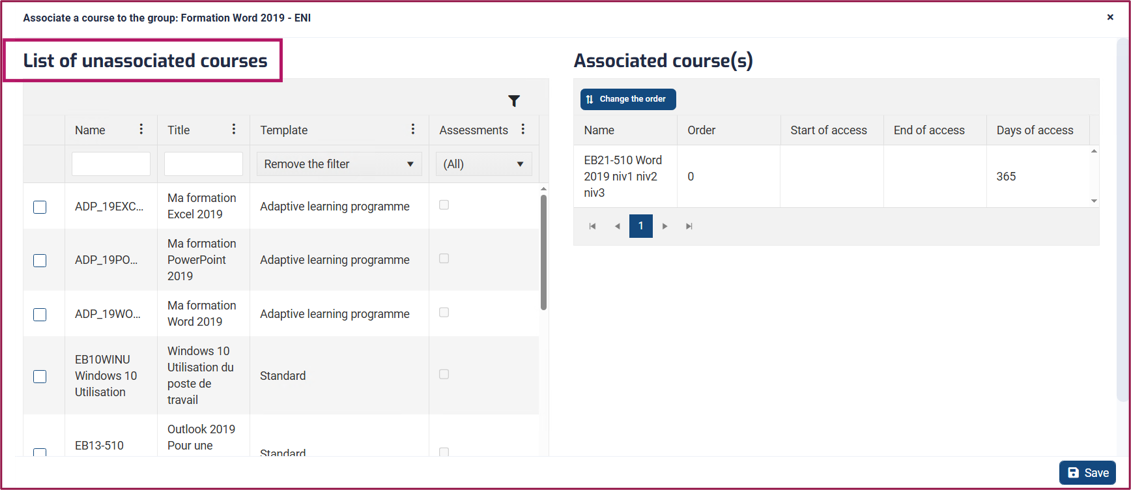
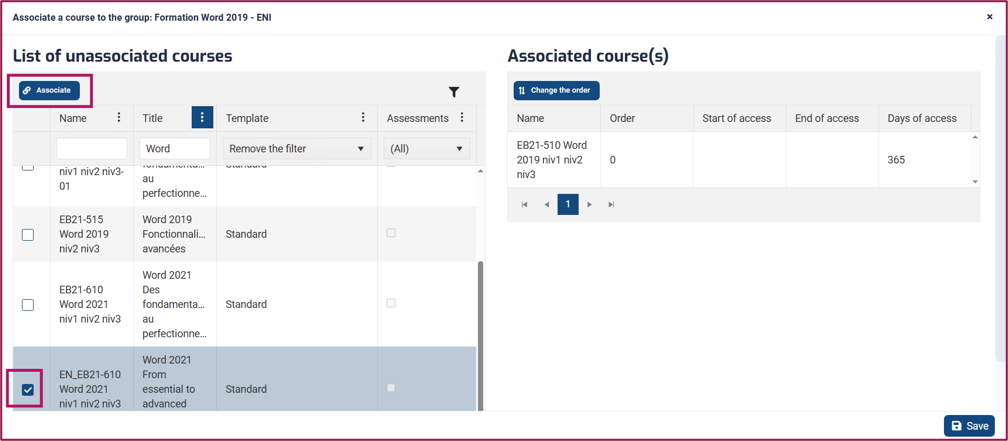
The List of unassociated e-learning courses displays all the courses available on your portal.
Use the automatic filters under the column names to easily find the e-learning course you are looking for.
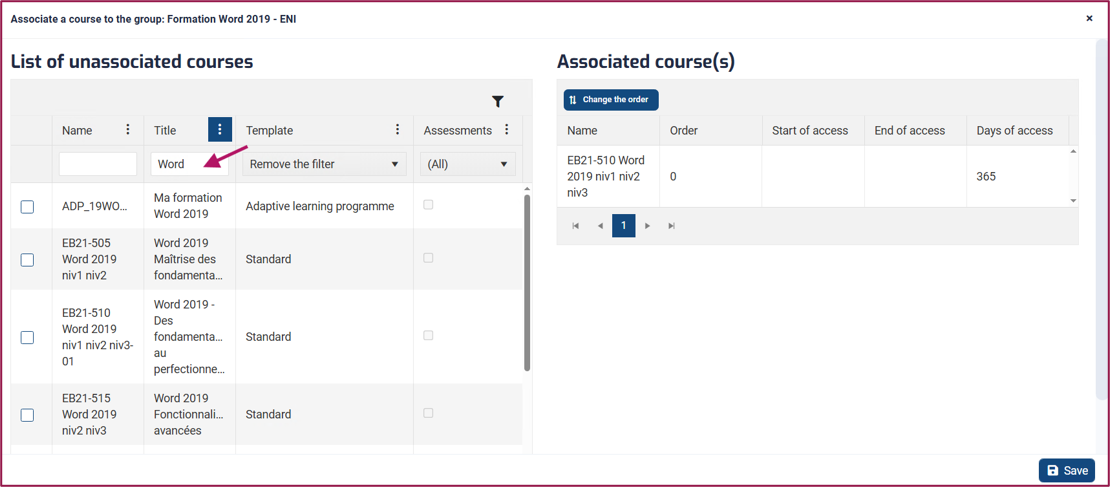
Activate the checkbox in front of the e-learning course you want to add, then click the Associate button.
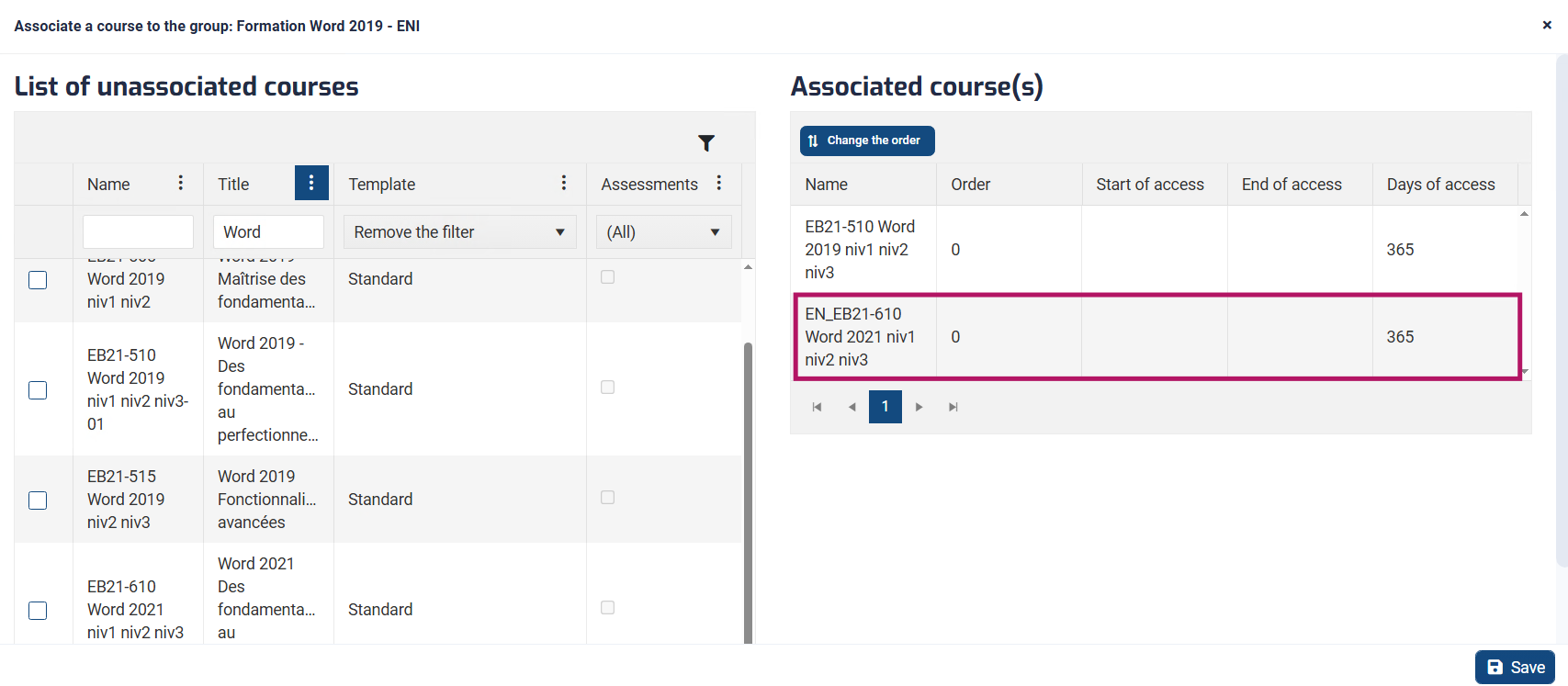
The associated e-learning course then appears in the list of associated e-learning courses in the right-hand panel.
Select the line and adjust the options if necessary by clicking on Properties.
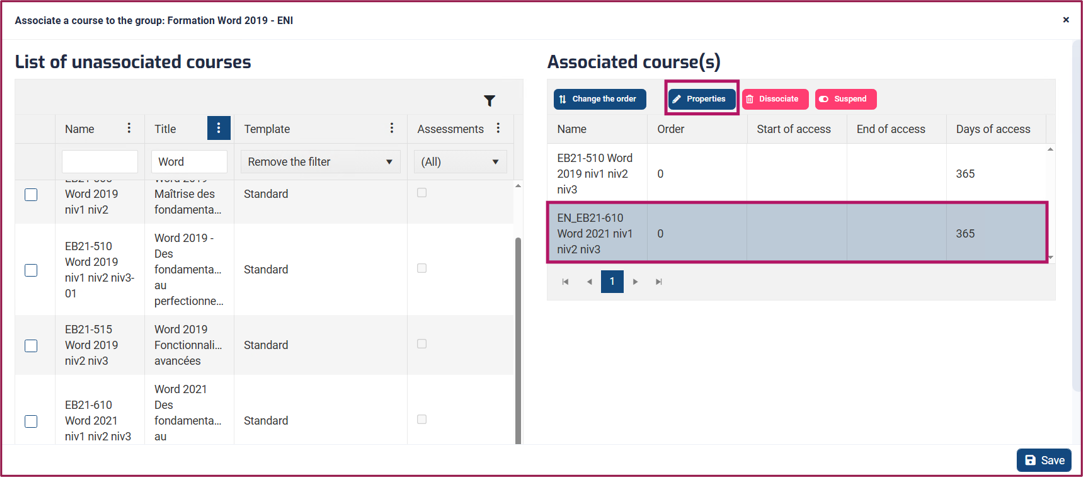
Click on Save to close.