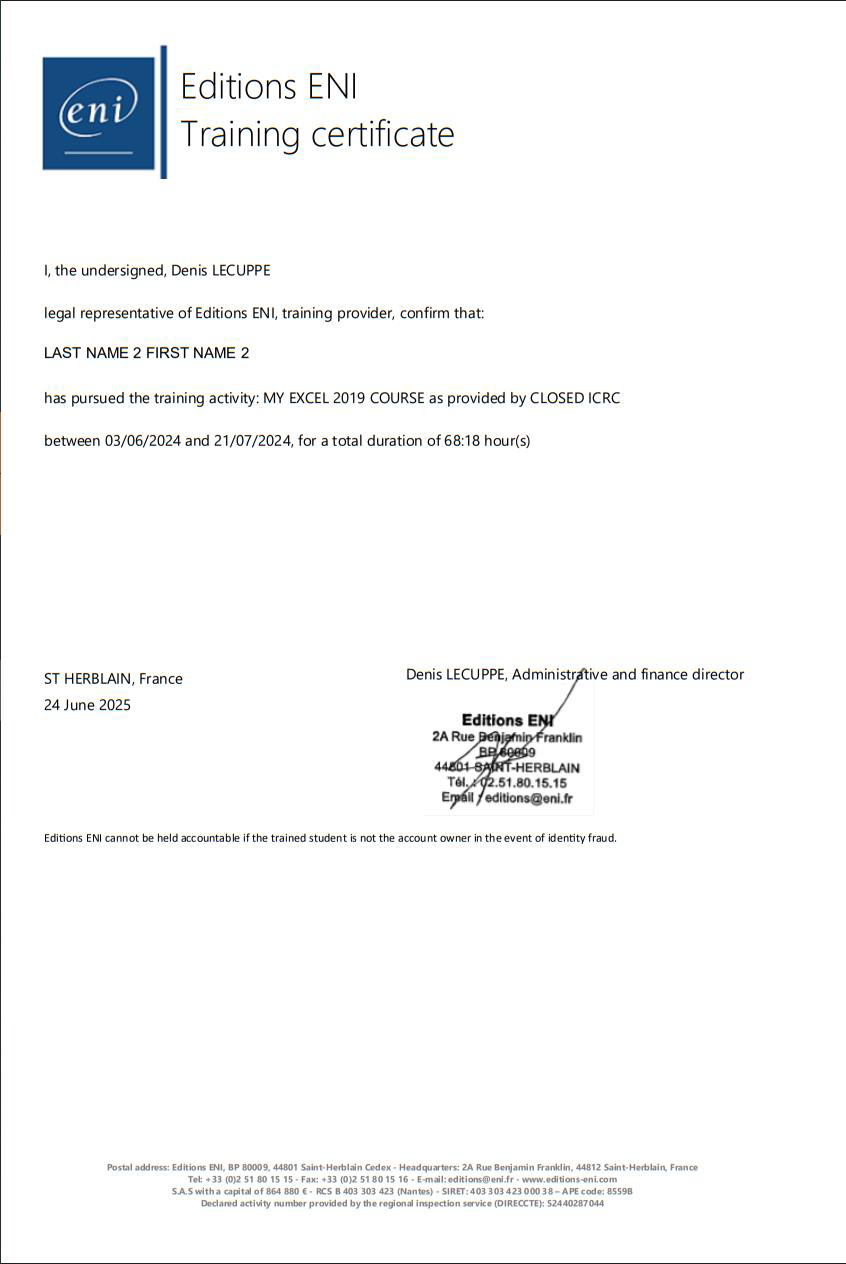
As an administrator, you have the ability to generate a Training Certificate for your users directly from the Administration Console. If desired, this certificate can also be made accessible to users within their e-learning environment via their learner portal.
To enable this feature, simply contact your Customer Success Manager to request activation.
The Training Certificate can be issued once a user has reached at least 90% overall progress for a given training course. This threshold can be adjusted upon request by contacting your Customer Success Manager.
Please note: depending on whether you are a training centre or an international client, the layout and information displayed on the Training Certificate may vary slightly.
Downloading the Training Certificate from the Administration Console
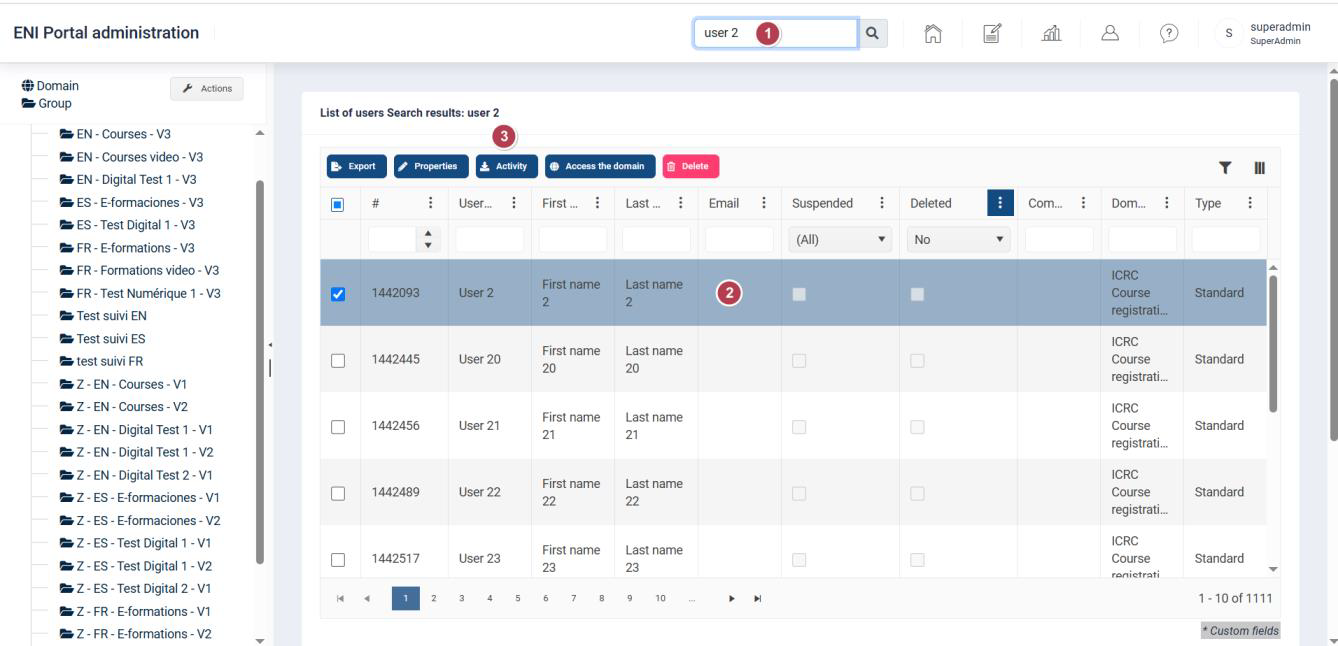
From the homepage of your Administration Console:
• In the Search field, enter the user's first name, last name, username, or email address.
• Select the user’s row, then click the Activity button.
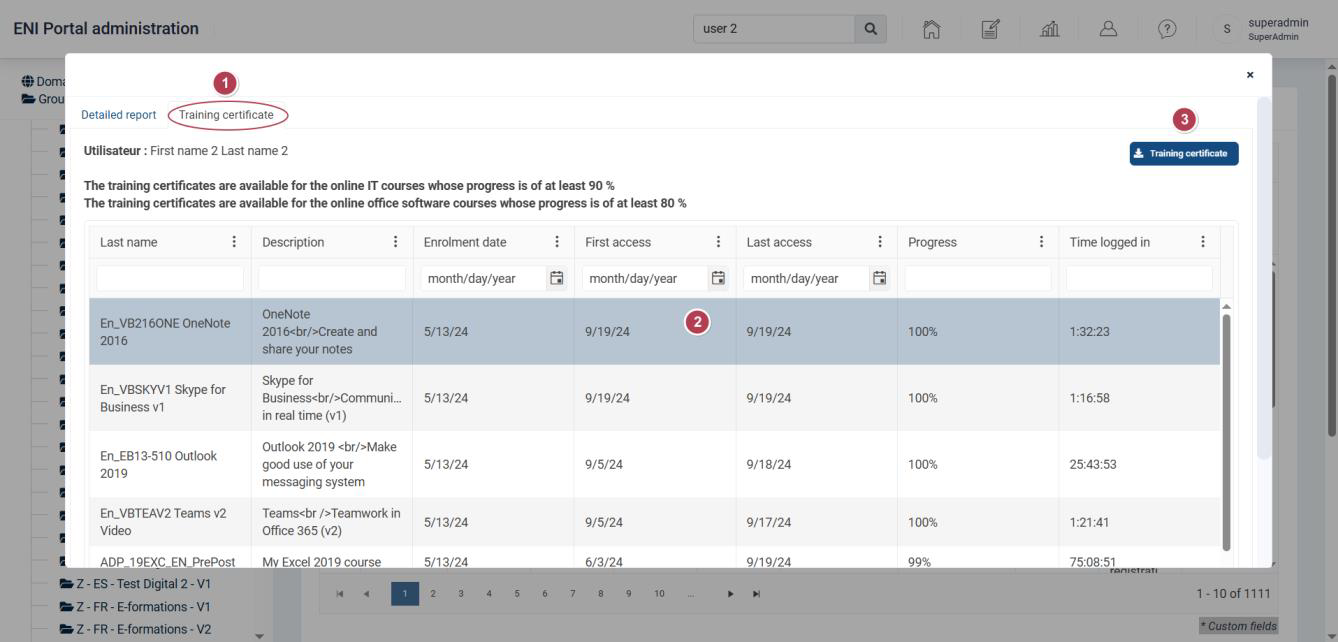
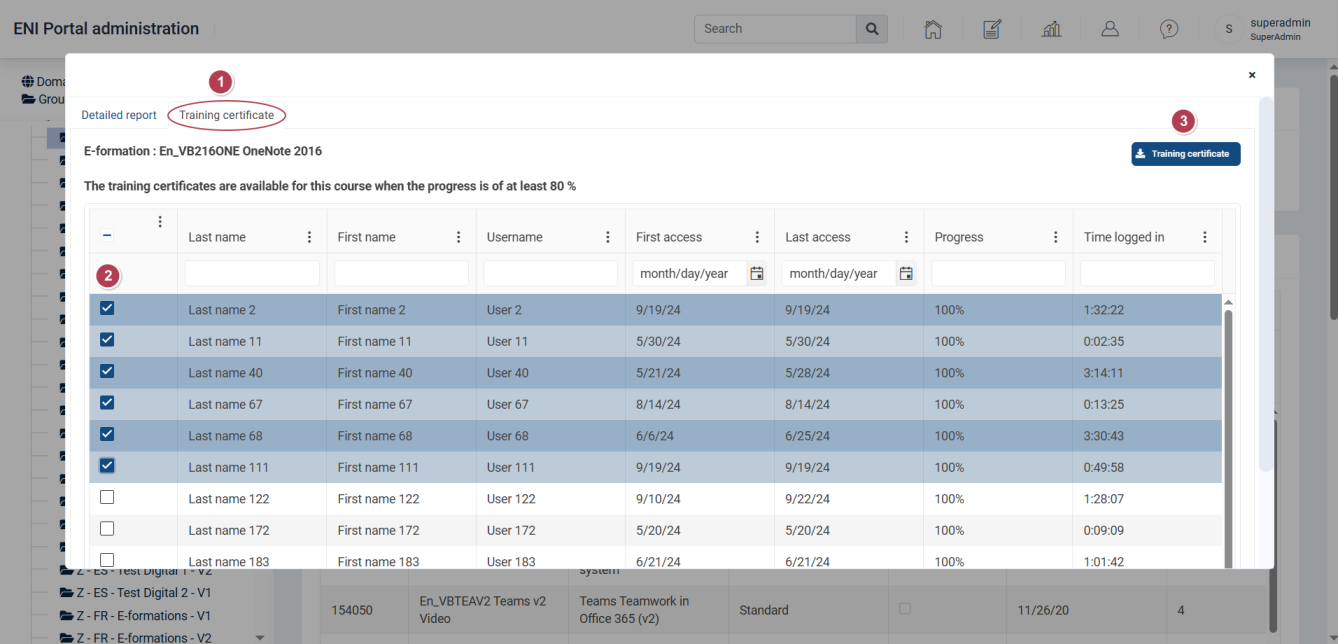
• In the window that appears, click on the Training Certificate tab.
• Then, select the row corresponding to the training course for which you wish to generate the certificate, and click the Training Certificate button.
Please note: a certificate can only be generated if the user has reached at least 90% overall progress.
• The Training Certificate is exported in PDF format and will appear in your downloads.
It is also possible to download multiple certificates at once via a group:
• Select the group for which you wish to retrieve one or more certificates.
• Select a training course and click the Activity button
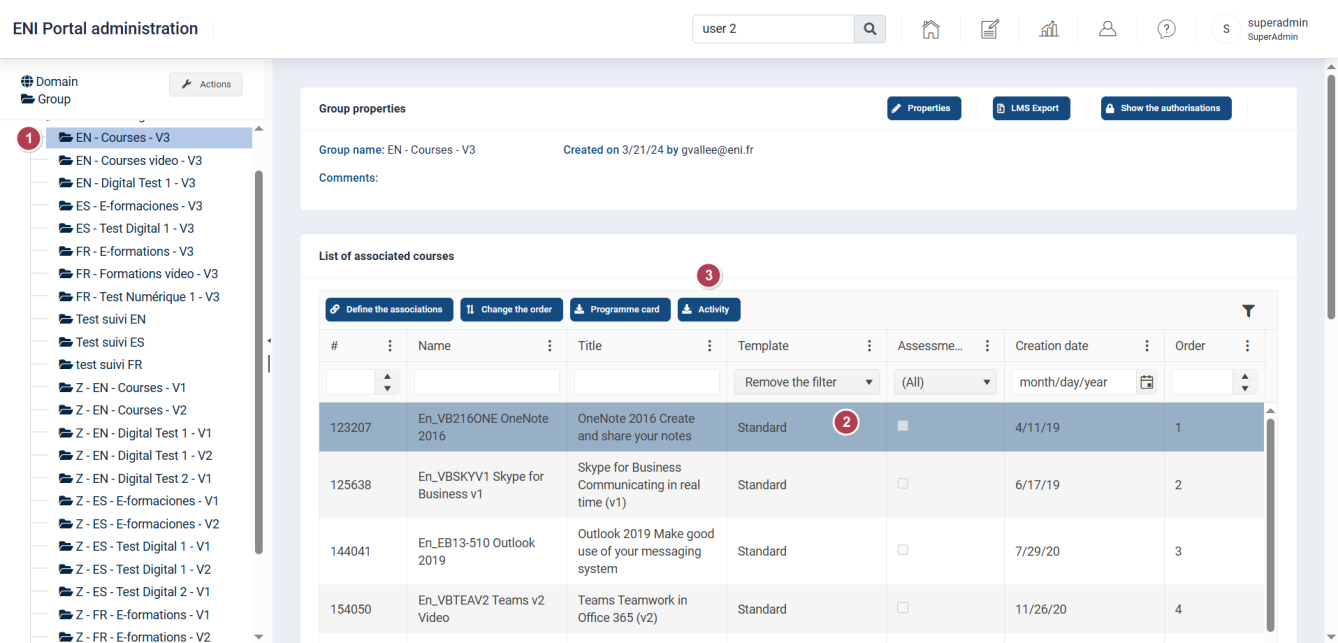
• Select the Training Certificate tab.
• Select all users or choose the specific users for whom you wish to extract a certificate, then click the Training Certificate button.
Downloading the Training Certificate from the User Portal
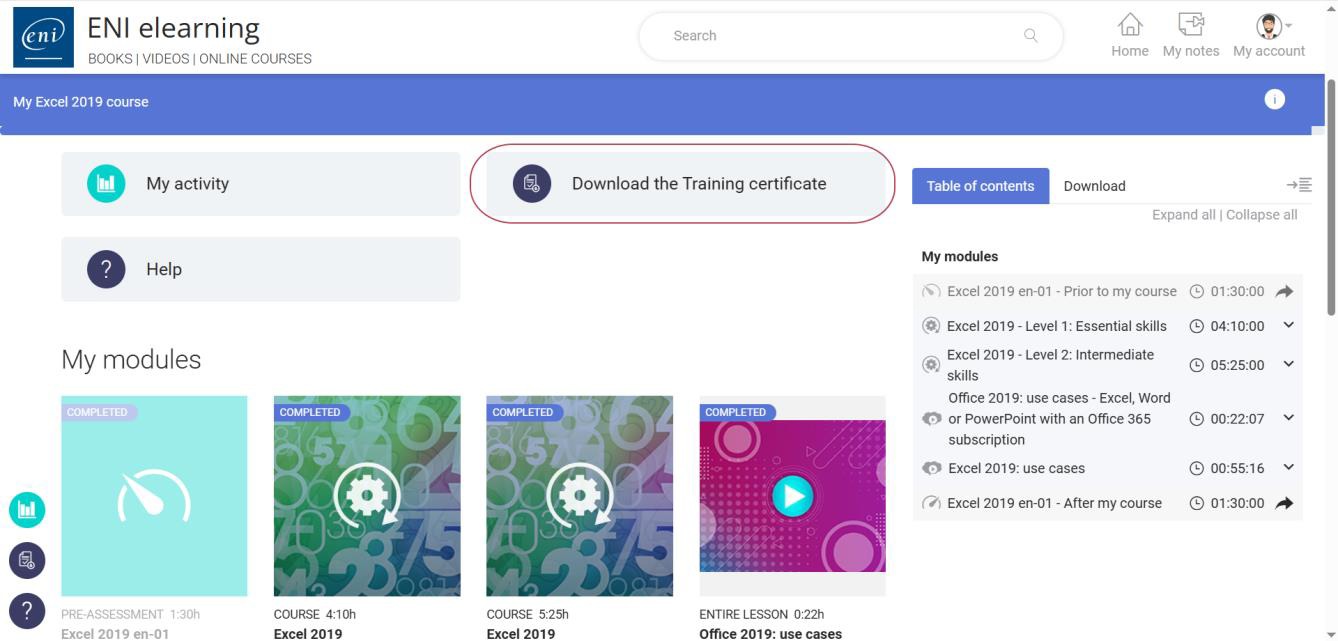
From the e-learning homepage: Once a minimum progress of 90% has been reached:
• Click on the Download Training Certificate button.
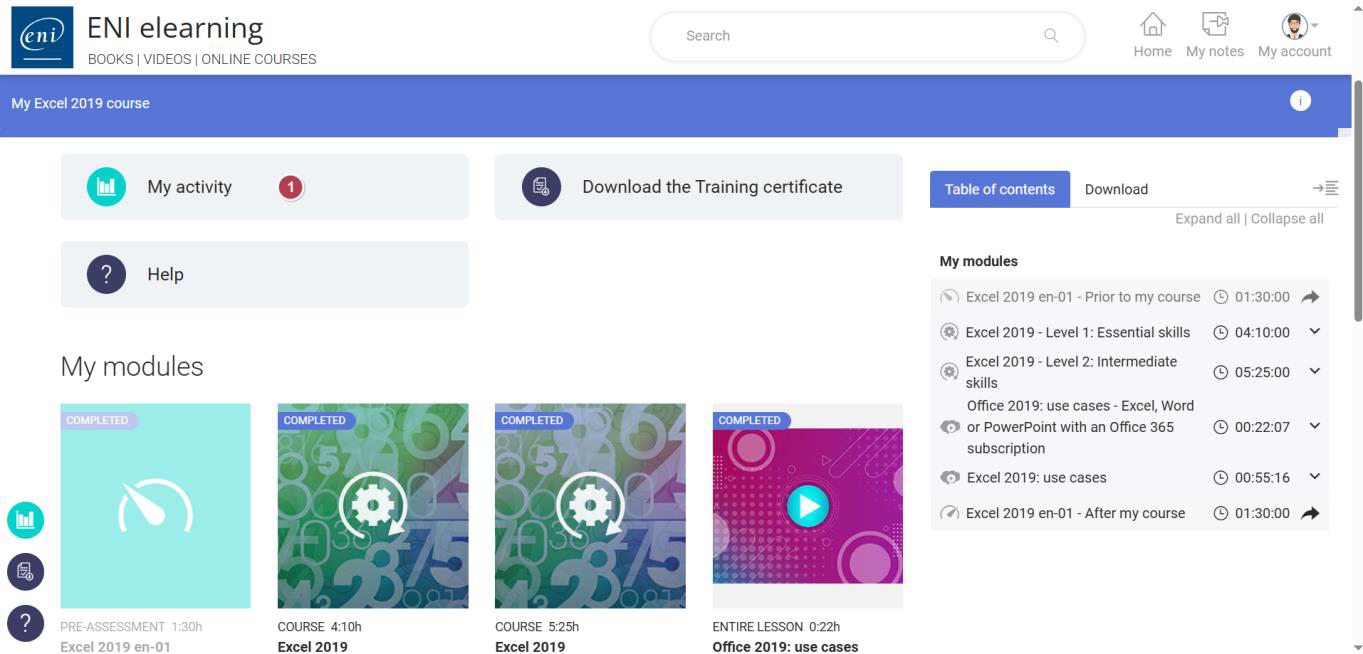
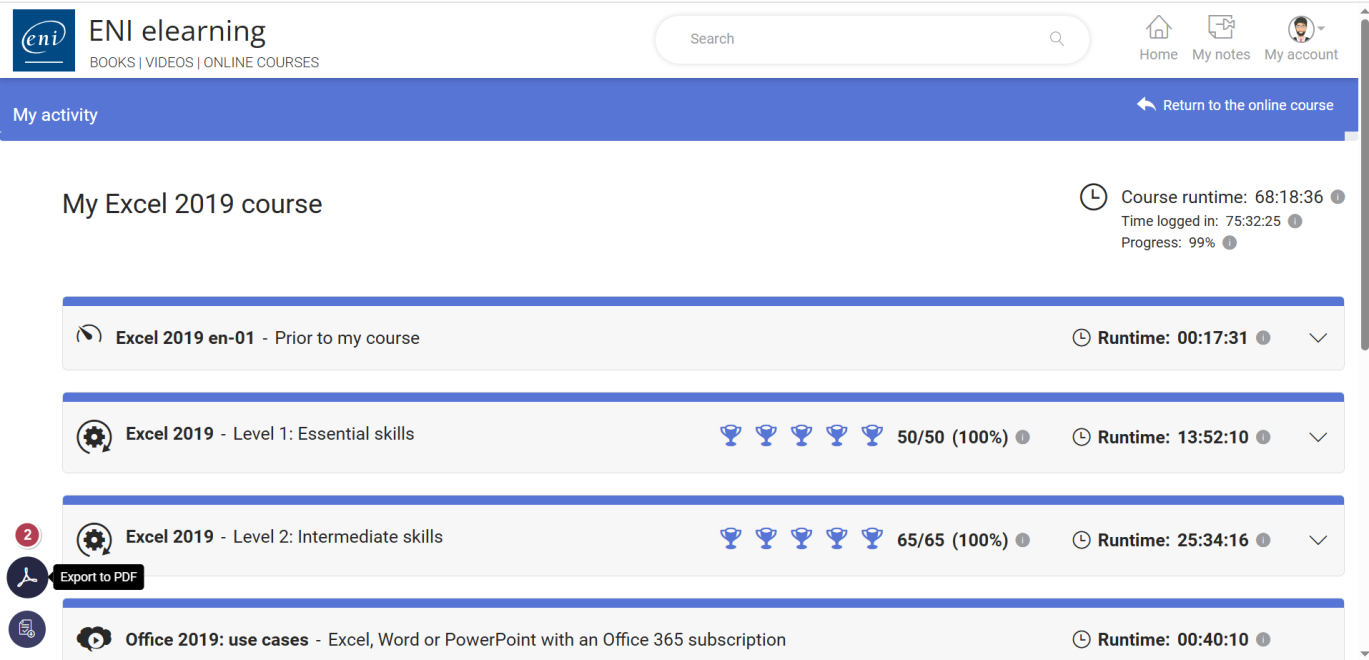
• As the details of completed modules are not included on this certificate, learners can also download their activity report at any time by clicking the My Activity button, then selecting the option to export it as a PDF.
Example:
*Please note that the layout and wording may vary depending on whether the certificate is issued in a language other than French or if the learner is registered through a training centre.