
Once a course has been associated with a group, it is possible to manage different options according to needs.
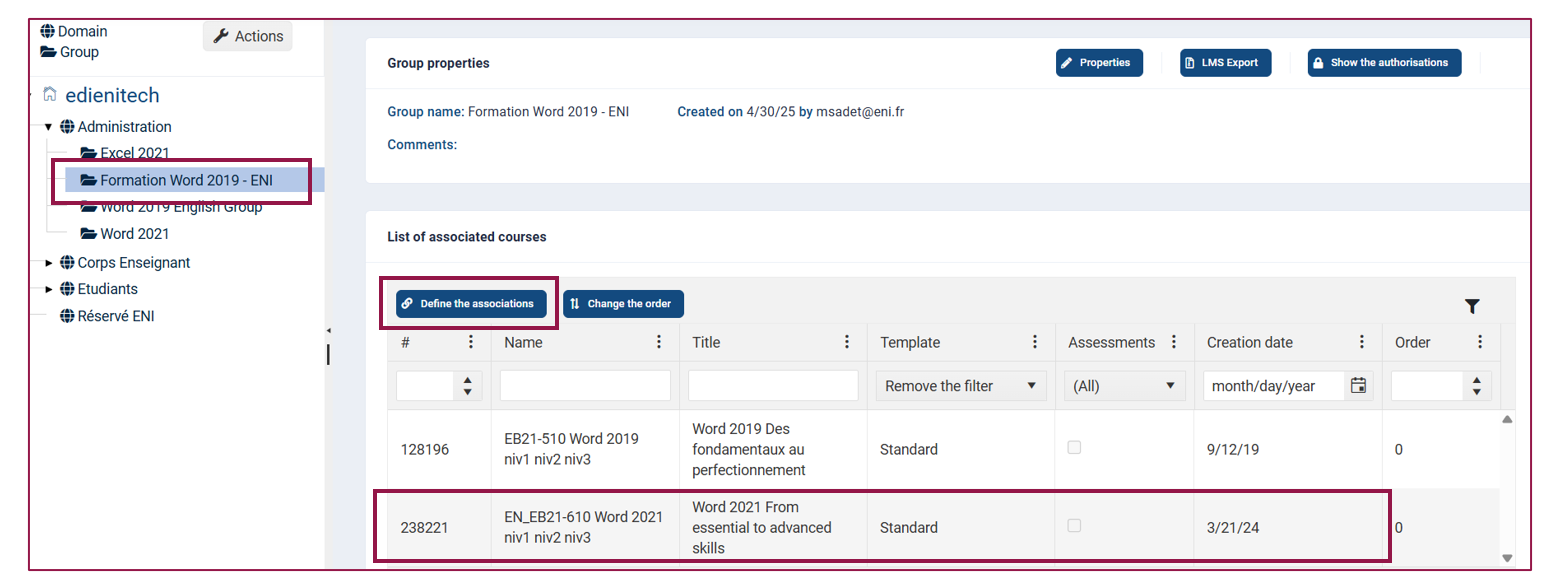
Select the training course in the List of associated courses, then activate the Define the associations button.
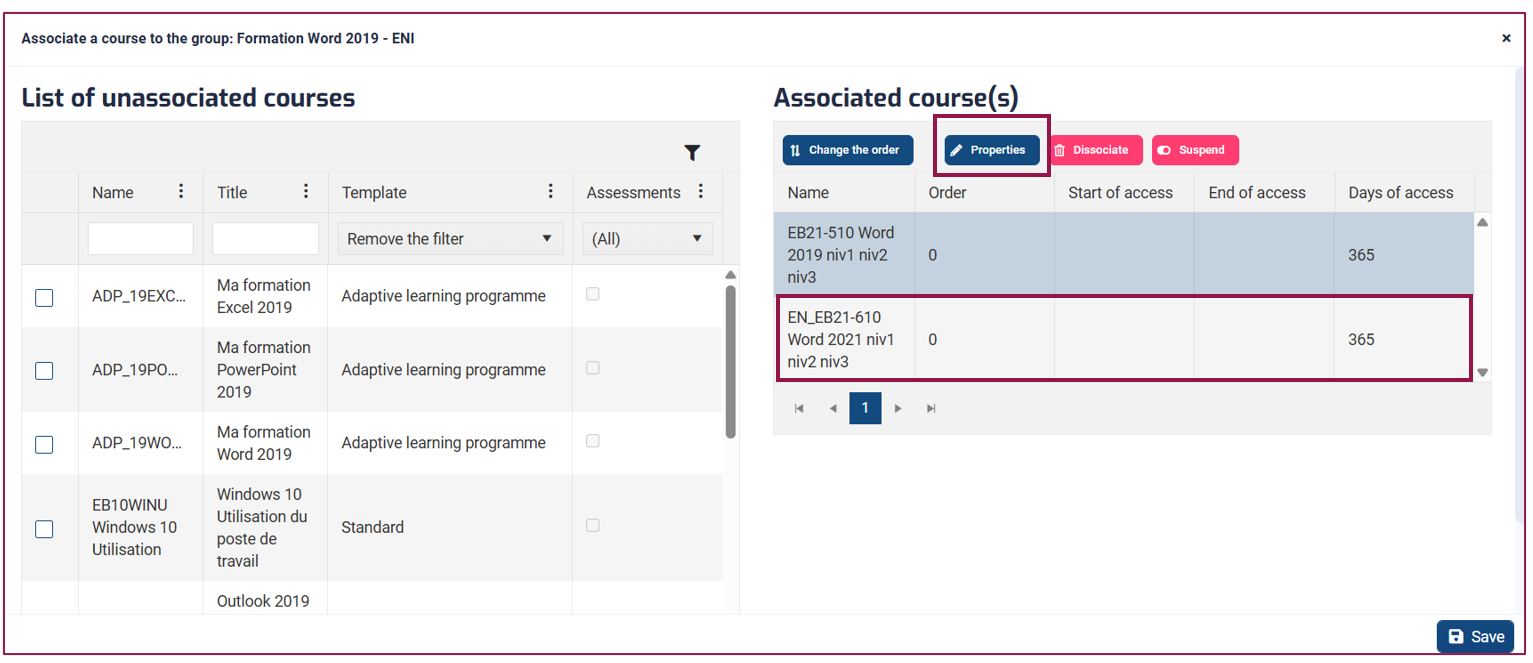
Click on Properties button to modify the association settings.
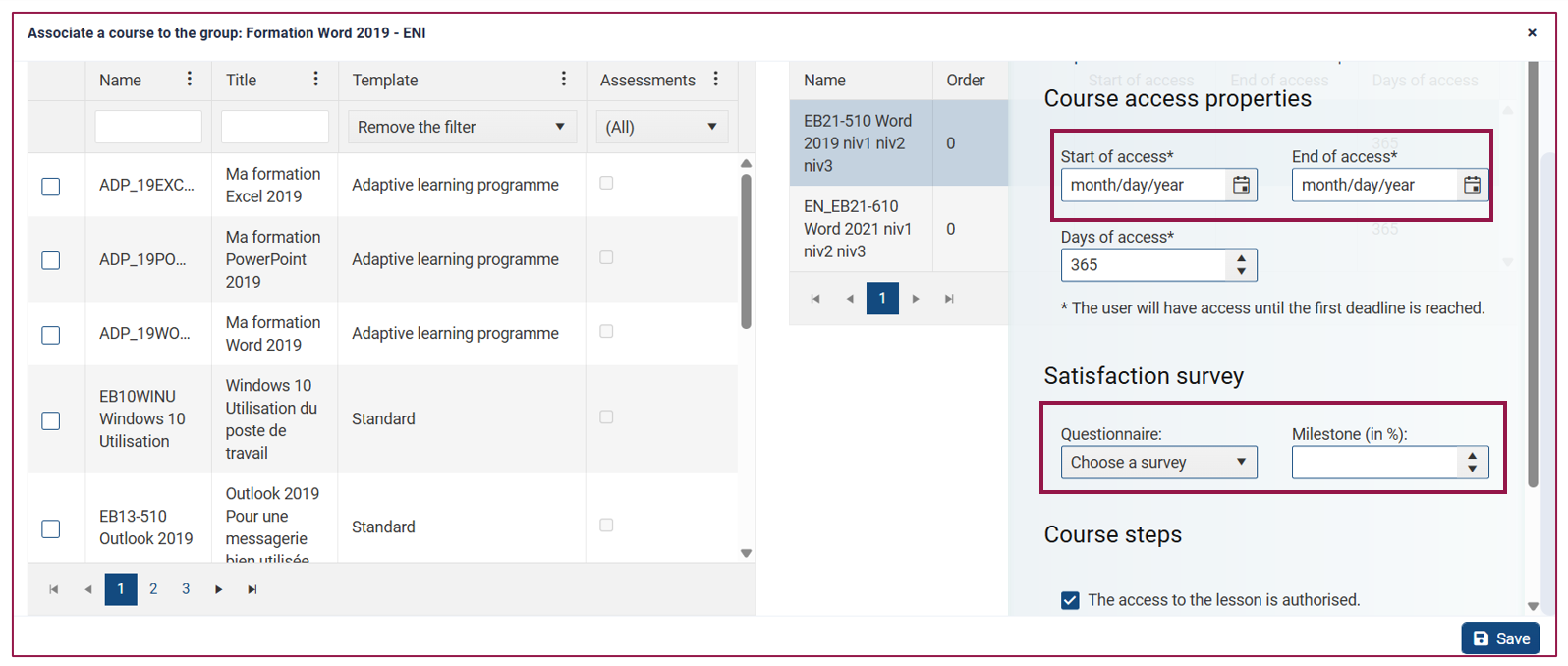
 By default, a training course is accessible for 365 days. You can set a start date for access and, consequently, an end date.
You can associate a satisfaction survey with it if necessary, specifying a milestone (percentage of progress in the training course to authorize access to the survey).
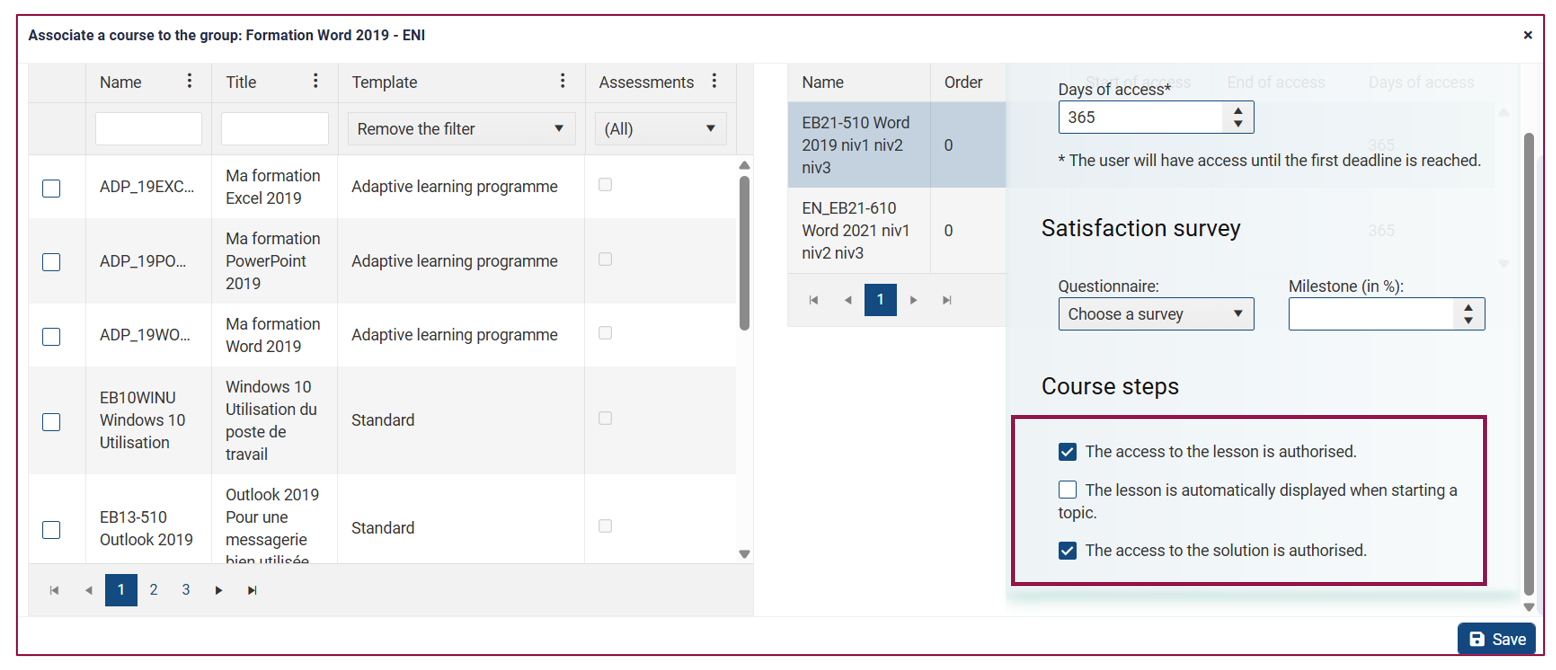
Finally, you can choose several options regarding access to the lesson and/or the answer key, which will have a direct impact on the progress of the training.
Once you have completed your settings, click Save to close.