
This document describes the different methods for downloading a programme sheet from the administration console.
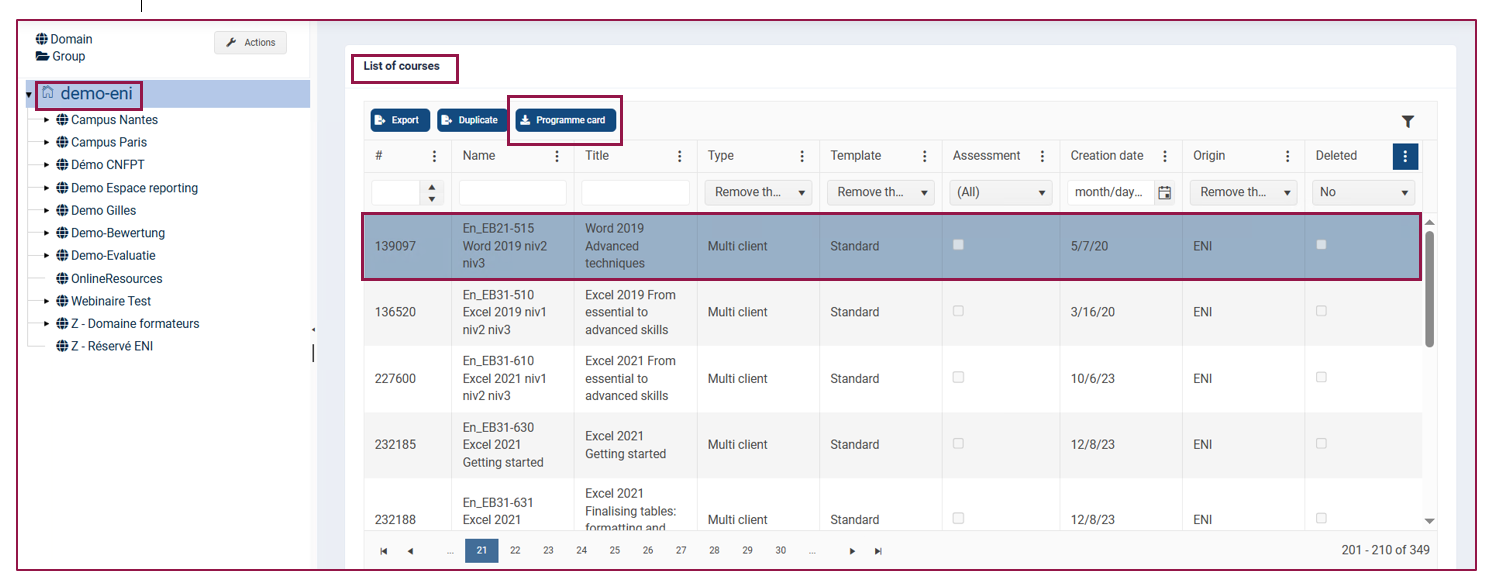
In the left-hand menu, click on the portal name.
- Scroll down to the List of courses.
- Select the training course for which you wish to obtain the programme sheet.
- Click on the Programme card button to download it.
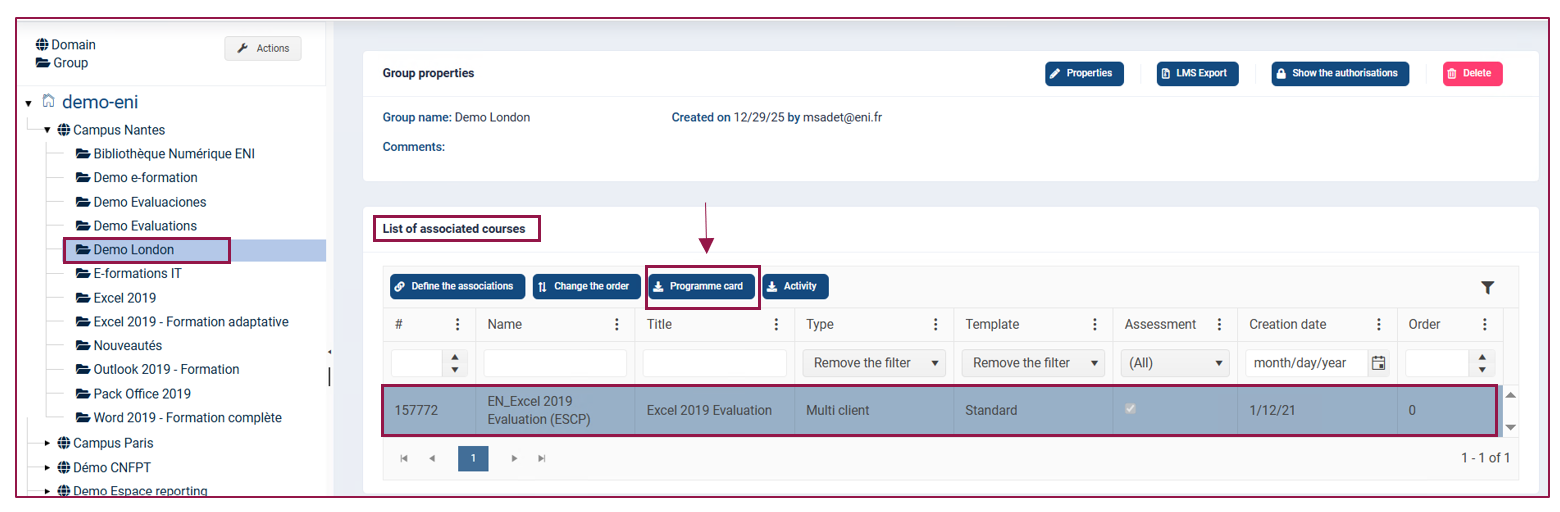
- It is also possible to access the programme card via the group.
To do this, open the corresponding group in the left-hand menu, then click on the desired training course in the associations list. The Programme card button will appear, allowing you to download it.
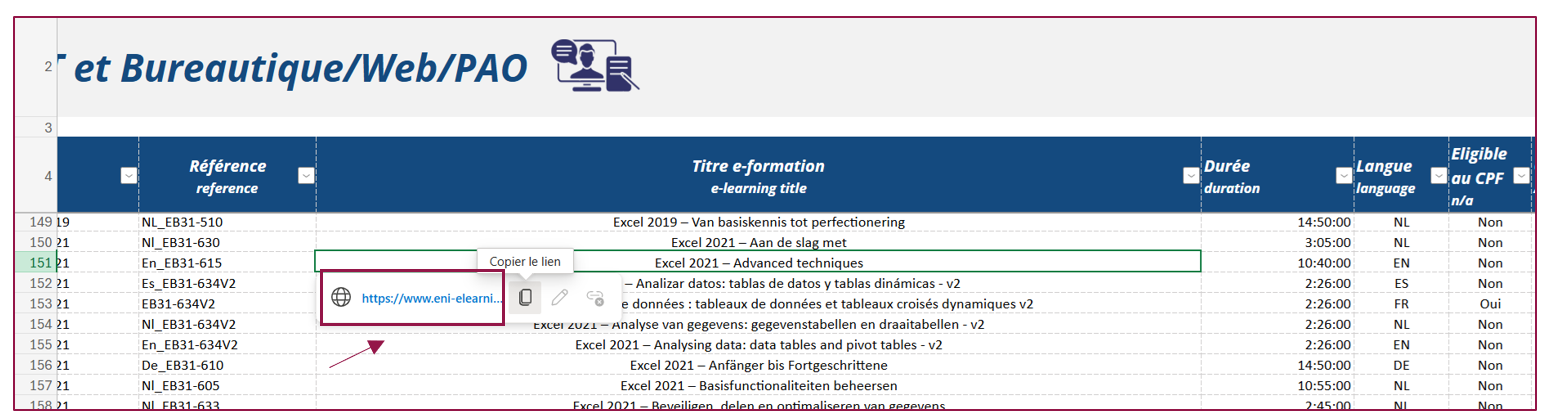
For your information, please find below the link to our catalogue, which will take you directly to the online description of each training course:
https://www.eni-elearning.com/fr/catalogue-eni/
For any questions, please do not hesitate to contact Customer Service at the following address: satisfaction.client@eni.fr