
Following a recent update from Microsoft, the solution provided in this knowledge article is no longer compatible with the new interface.
Here is how to complete this topic.
The wording of the exercise is as follows: “Open the Engage application in your Microsoft365 workspace”
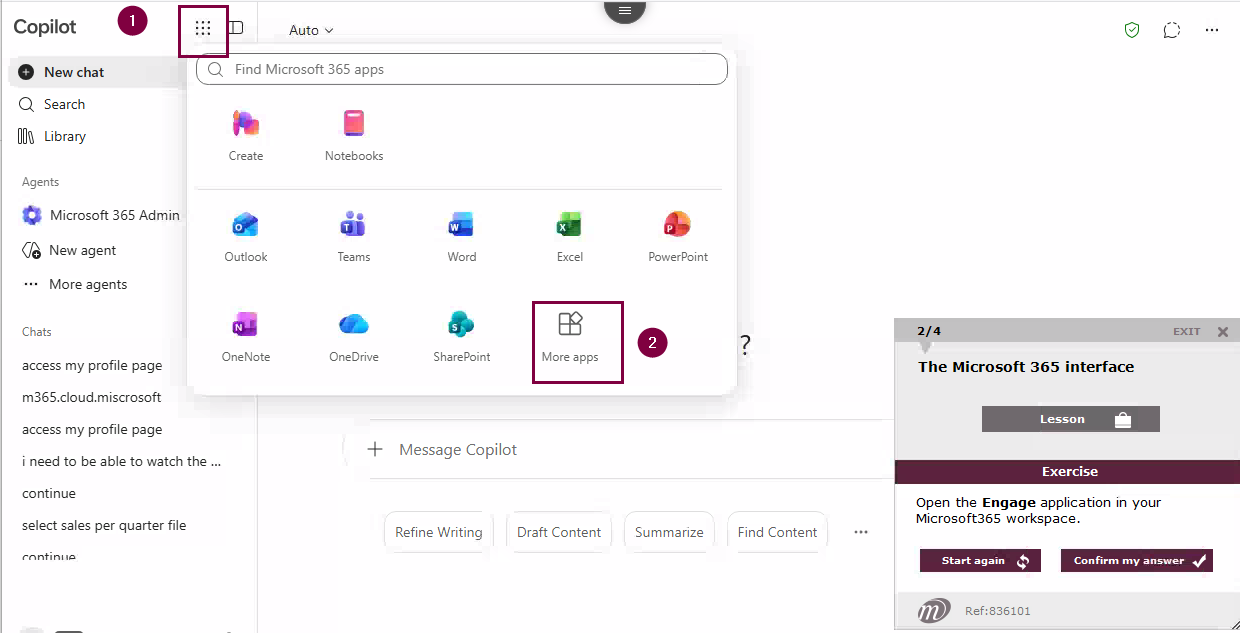
- Click on the app search icon
- Click on ‘More apps’
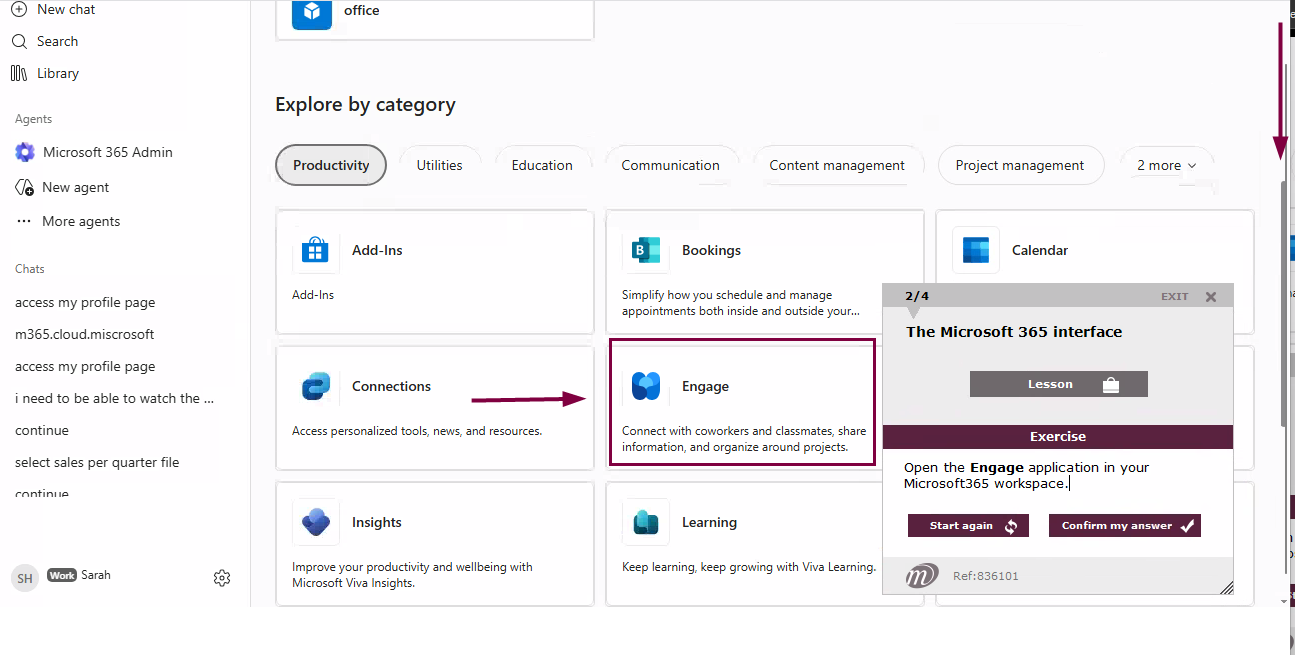
- Scroll through the list, using the scroll bar if necessary
Click on the Engage app
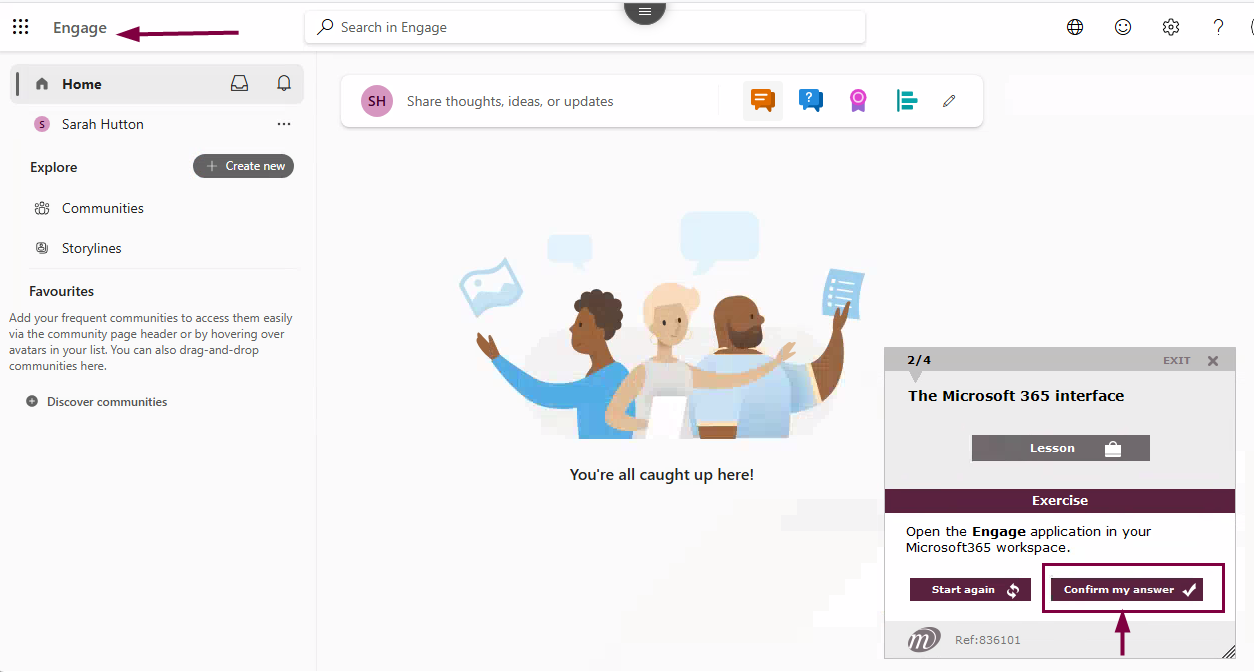
Once the Engage app is open, click on ‘Confirm my answer’.