An LMS platform (Learning Management System) manages the entire learning experience: the user accesses the ENI portal's learning content via the platform.
The platform must be able to communicate with the ENI portal for the user to access the training content. After the user has accessed the training content, information such as the time spent training or the obtained results must be returned to the LMS platform.
Using the Administration console, you will create the element enabling this communication: the SCORM catalogue. The SCORM catalogues are exported from one or more groups.
User creation and enrolment are automatic when the user logs in via the LMS platform.
All the training content provided by Editions ENI is compatible with SCORM 1.2 and 2004. A SCORM catalogue (zipped file) is extracted for each online course required. It returns global data pertaining to the pursued training.
ENI's online courses offer interactive modules or videos, as well as submodules consisting of interactive and/or informative topics. The data returned via the SCORM catalogue are global and pertain to entire courses; the data are not returned for individual modules, and additional learning materials are not taken into account.
1. Data returned by the SCORM catalogue to the LMS platform:
By default, before starting the activity, the status is: not started. After starting the activity, one of the following statuses will be returned to the platform:
• “incomplete” if still in progress,
• “completed” if the learning is finished.
Score and progress
• SCORM 2004: By default, our SCORM catalogues use the SCORM 2004 norm. This norm is designed to return the percentage of success and percentage of completion for the online course concerned.
• SCORM 1.2: Catalogues in the SCORM 1.2 norm are also available in the ENI portal. When selecting this norm, you must choose which percentage should be returned: the percentage of success or the percentage of completion. By default, the SCORM 1.2 norm was intended to return a percentage of success.
Mastery Score
This score helps appreciate, through the data returned to the LMS platform, whether a learner has been successful or not in pursuing their online course.
This Mastery Score is defined by a specific percentage during the SCORM catalogue extraction (75% by default).
The online course's status is then set to “passed” if the percentage is greater than or equal to the Mastery Score, or to “failed” if it is lower.
Time spent
The SCORM catalogues return the time spent on the online course.
This time spent is returned to the LMS platform every minute.
2. Functioning on a dedicated portal:
The SCORM catalogues ensure the link between the LMS platform and the ENI portal, via the Web services.
The user is automatically logged in to their learning environment.
By clicking the SCORM catalogue available in the LMS platform, the user is redirected to the ENI online course.
The information sent from the LMS platform to the ENI Administration console relates to the user's account: last name, first name and username (StudentName, StudentFirstname and StudentId).
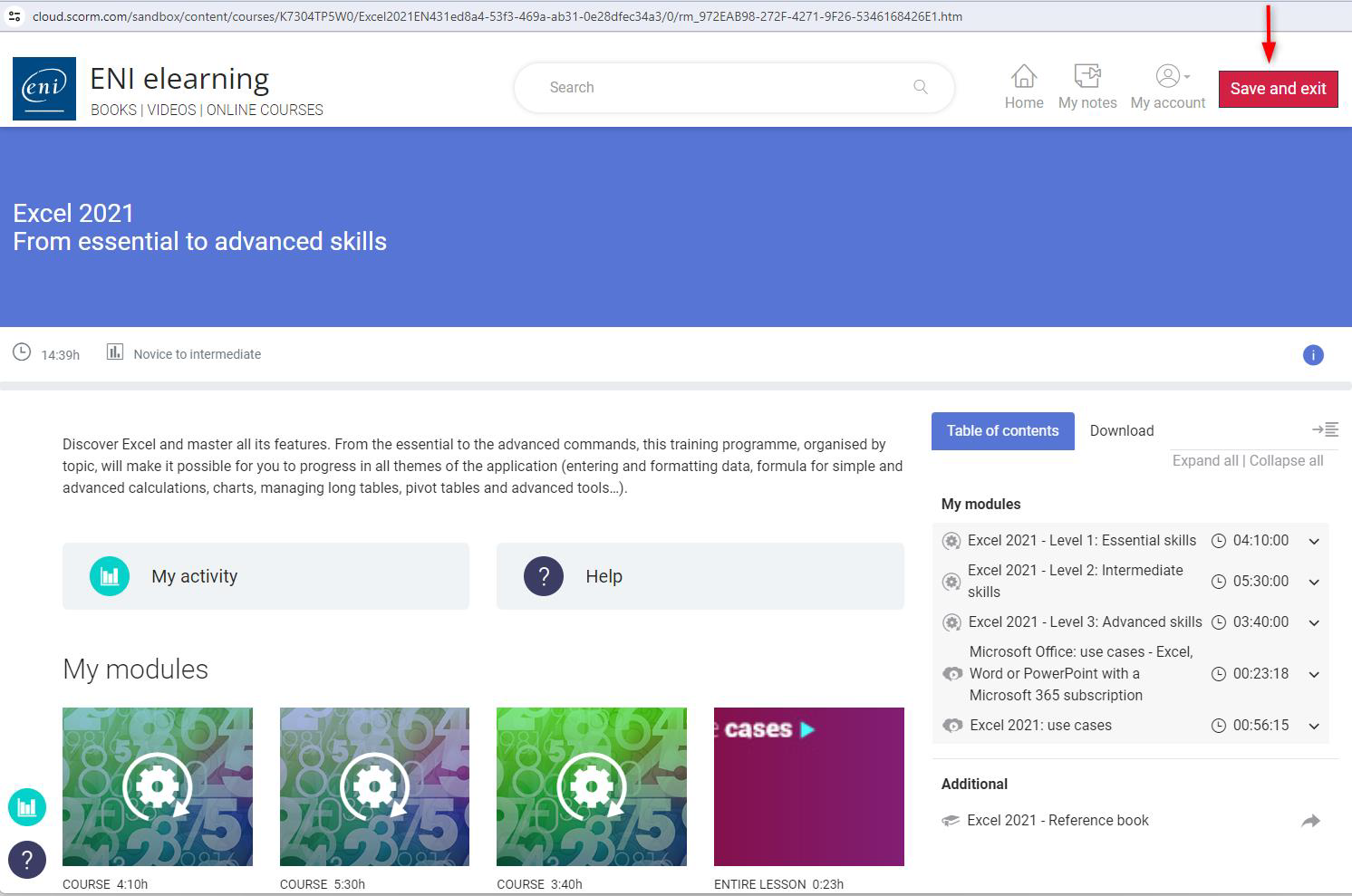
In return, when a user clicks the Save and exit button, the online course's status, the score and/or progress are sent to the LMS platform.
The user quits the SCORM catalogue by clicking on the Save and Exit button.
For any SCORM catalogue retrieved after 1er January 2021, our SCORM was updated on 09/12/2024, enabling data to be retrieved even if the user does not click on the Save and Exit button.
For any catalogue retrieved before 1er January 2021, if the user closes the catalogue without clicking on the Save and Exit button, the data will be synchronised the next time the user accesses the catalogue, and therefore the e-learning system, when they click on the Save and Exit button.
A new extraction of the catalogues concerned via the ENI administration console and integration into the LMS platform will enable the catalogue coding to be updated so that the Save and Exit button no longer conditions the user's data feedback.