
If you are doing the exercise ‘Creating a 2D Map Chart’ and the 2D Map chart button does not appear in your Excel ribbon, there are several solutions available to you:
1- Change your screen resolution: depending on the size of your display, the Excel ribbon may differ from the one shown in our solution video : How to optimize the screen resolution in your remote Cloud machine : Editions ENI
or
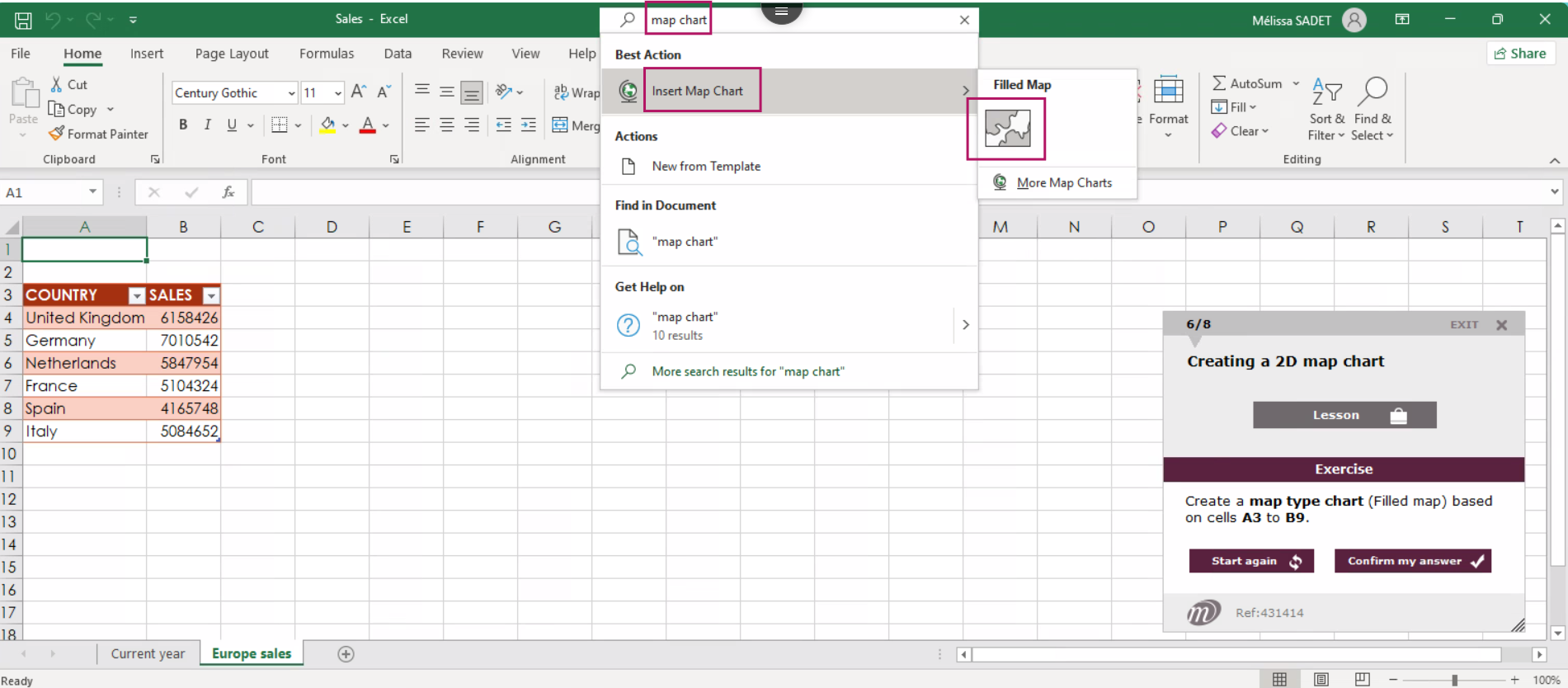
2 - Use the Excel search bar: type ‘map chart’ to go directly to the corresponding option, as shown below.
If you are still stuck after trying the first two solutions, please send an email to satisfaction.client@eni.fr.