
The availability of the assessment retake feature depends on the rights associated with your subscription. Please contact the Sales team for more information.
1- Enable/disable the feature in the administration console
1a – Enable the feature
Log in to the ENI Portal Admin Console. From the homepage, click on your site name, then select the "Properties" button.
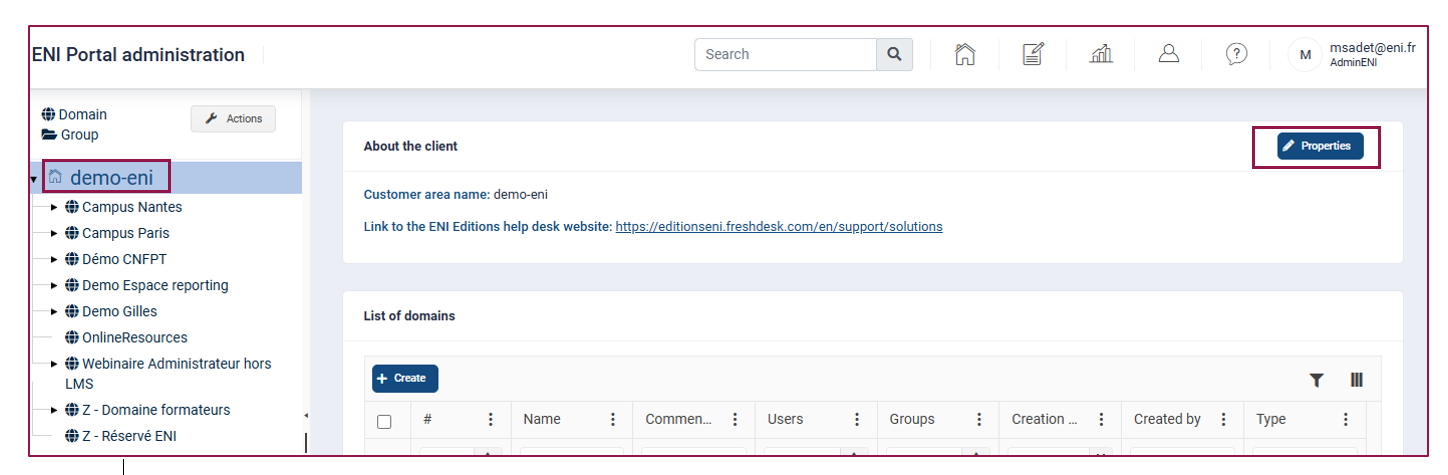
The portal's general settings will appear.
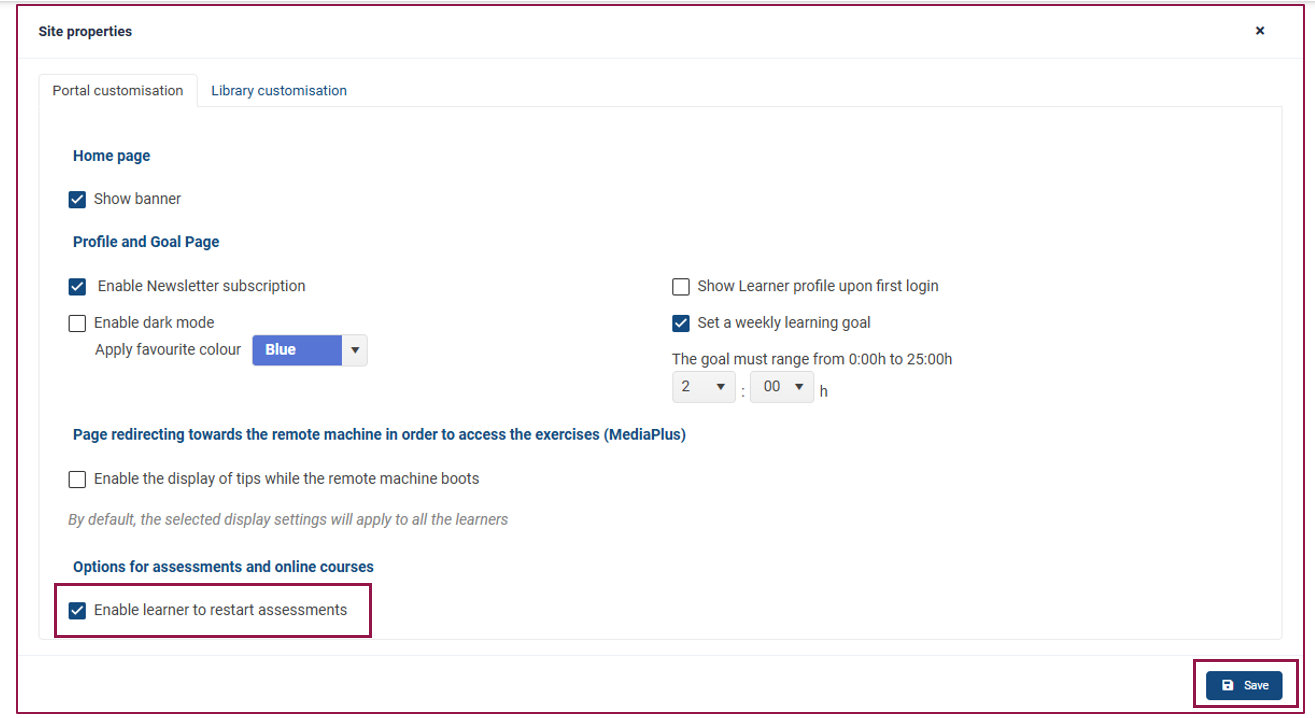
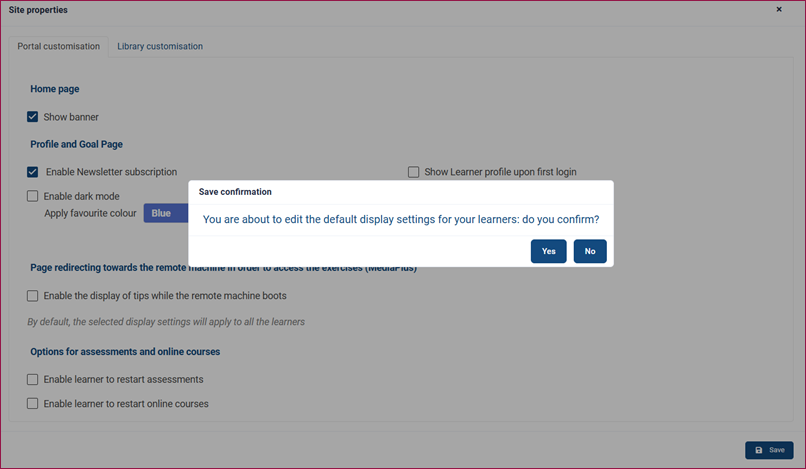
Scroll down to the section titled "Options for assessments and online courses" and tick the option "Enable learner to restart assessments."
Click on the "Save" button.
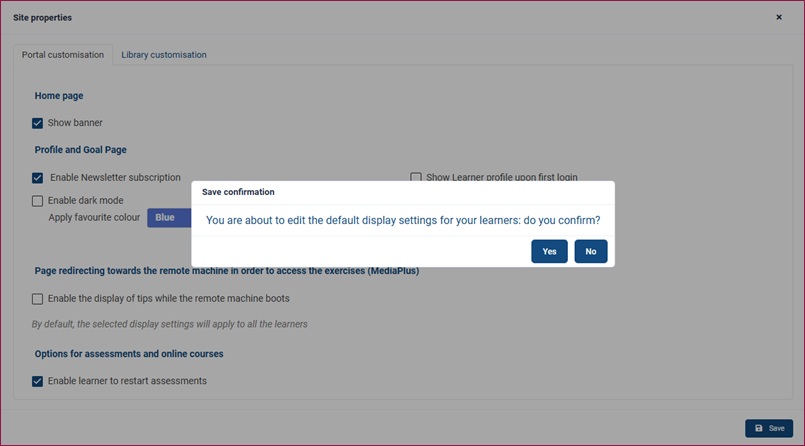
A confirmation window will appear, click "Yes" to confirm your choice.
Note: The "Properties" button is only accessible to Super Administrators. Standard administrators cannot access it.
When enabling this option, it will automatically be ticked by default whenever an evaluation is associated to a group.
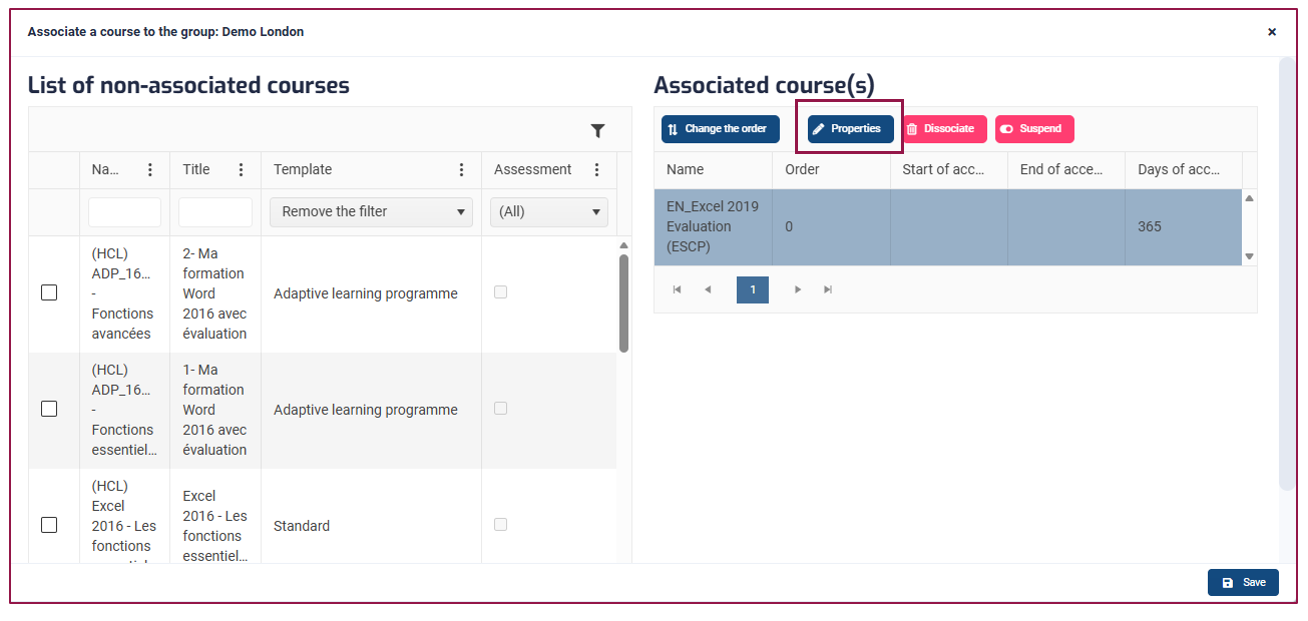
To access the assessment options, select the group within which you wish to make the change. Click the "Define the Associations" button.
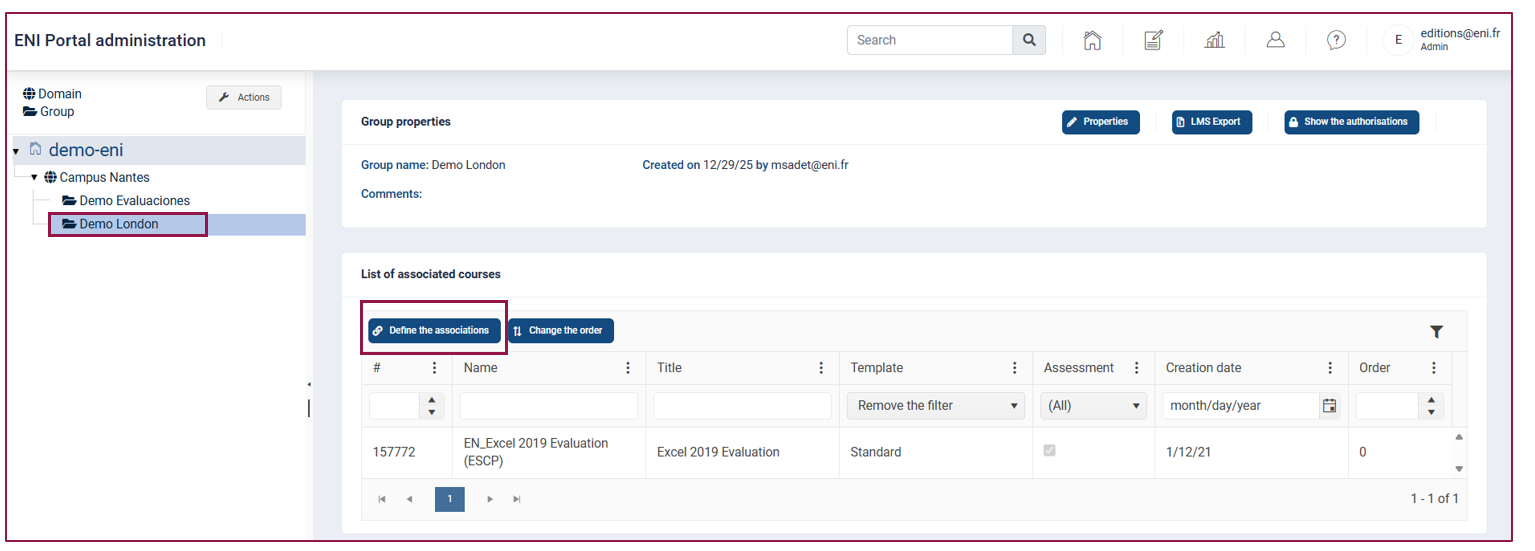
Select the assessment from the table on the right.
Click "Properties" to view the assessment options.
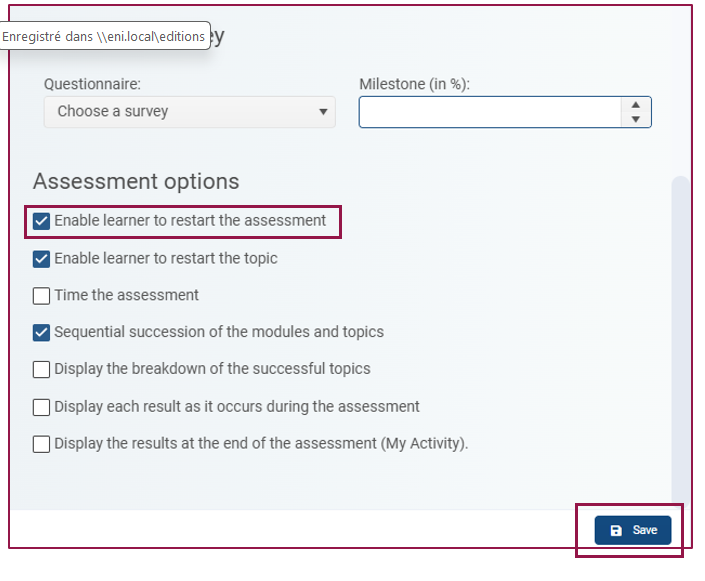
At the bottom of the page, available options for your assessments will be displayed.
Tick or untick the "Enable learner to restart the assessment" option according to your preference. Once you've selected the options, click the "Save" button.
For more information on other available options for our assessments, you can refer to the detailed documentation via this link.
Note: Only Super Administrators and Standard Administrators with modification rights for a domain or group can access these options.
1b - Block the feature
The option to restart an assessment can be disabled at any time via the "Properties" button on the site.
If this option is disabled, it will be disabled for all groups and learners, even if it was previously enabled.
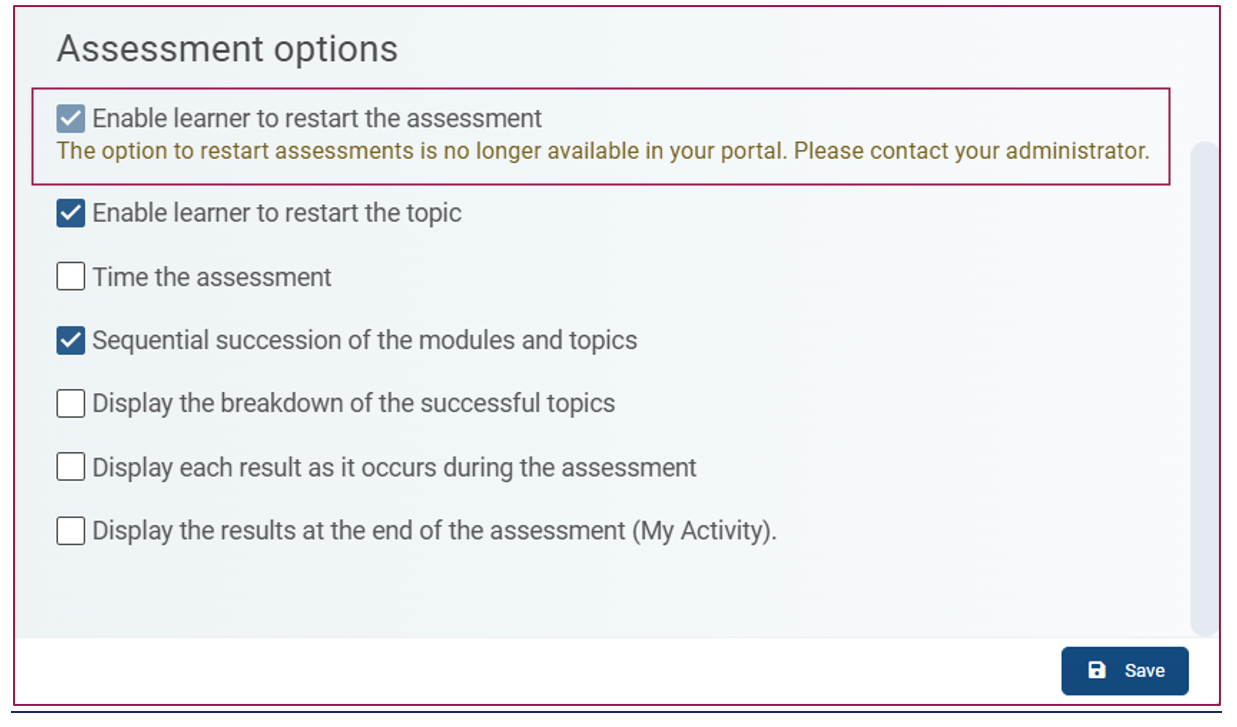
If the option was ticked within the groups, a greyed-out note will be visible to administrators indicating that the feature is disabled.
Reminder: Only Super Administrators have access to this button and the associated options.
2 - Displaying the Feature in the Learner Portal
Once the evaluation is launched, the learner will be able to click on this button to restart it  , whether they have completed the evaluation or not.This button will be visible only if the evaluation has progressed by at least 1%.
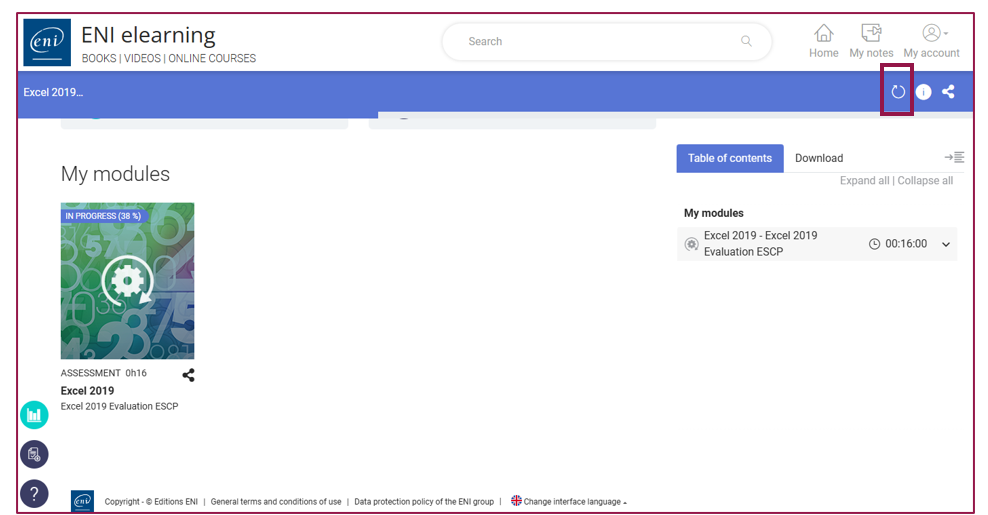
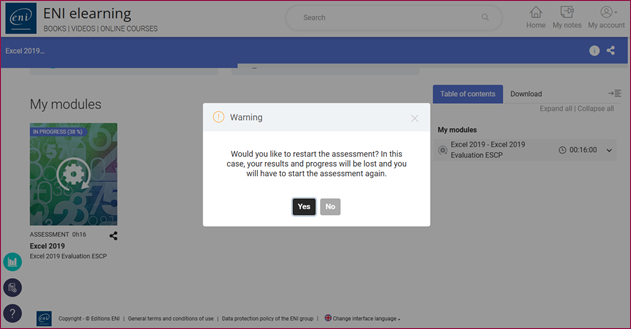
When clicking the button, a warning window will appear to inform the learner about the consequences of their action: their results and progress will be erased from their activity report.
However, this information (progress and results) will still be accessible to administrators in the Admin Console (see result display in the reporting space).
After confirmation by the learner (by clicking "Yes"), the assessment will be reset and a new blank version will be available.
3 - Activity Report in the Admin Console
As an administrator, you can view detailed results of learners for each assessment. Use the search bar or select the desired domain or group, then click on the learner to display their results. Click on "Activity."
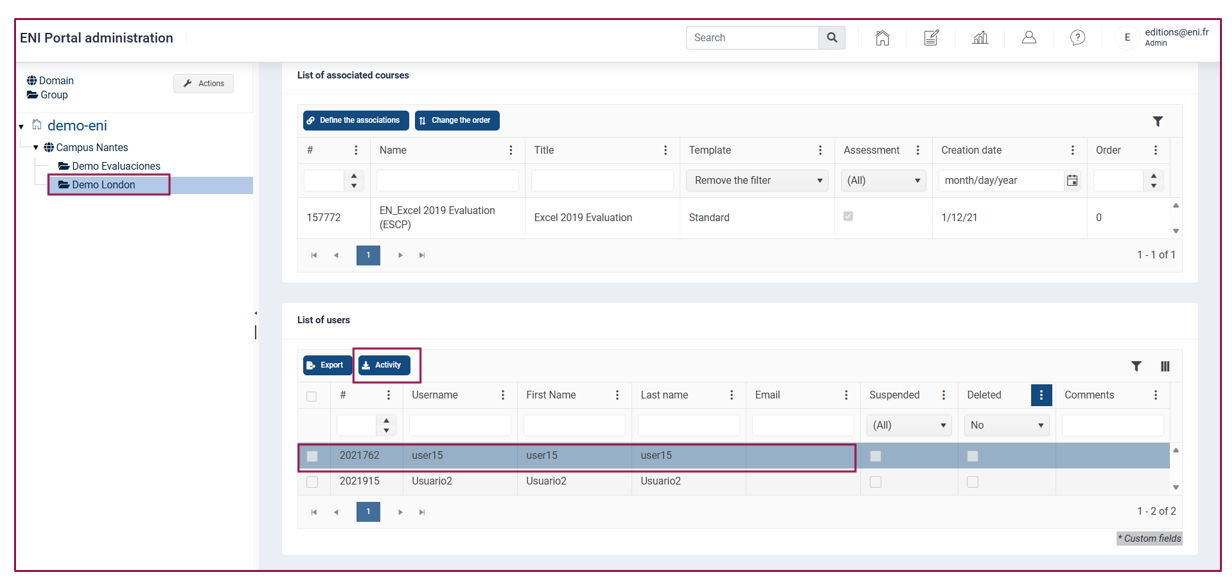
Select the assessment for which you want to view the results, then click the "Detailed Report" button.
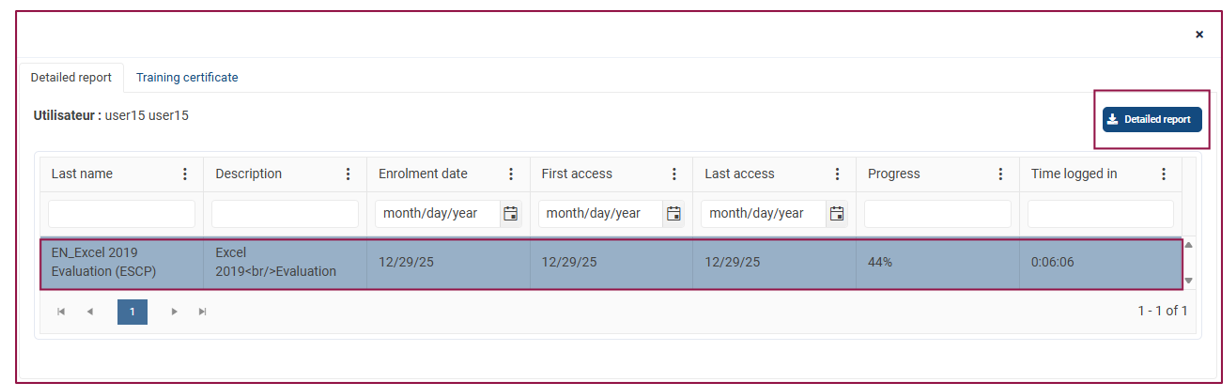
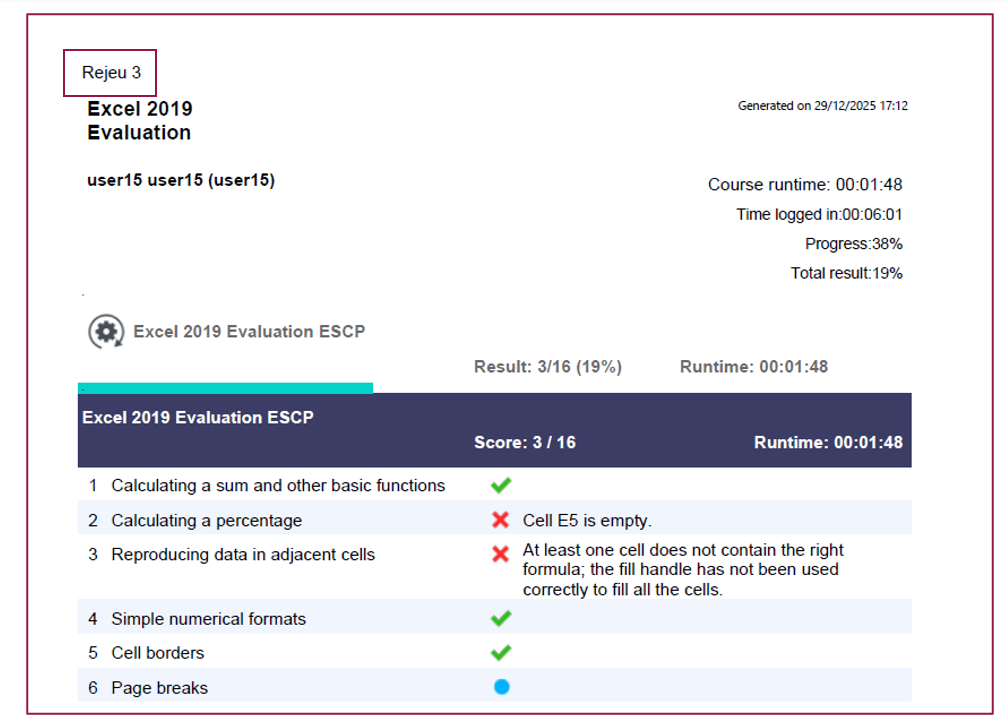
Download the PDF file to view the results. The results will be displayed from the most recent to the oldest.
A note in the top left corner of the report will indicate how many times the assessment was restarted (ex. : 3 times).
The details of each reset will be visible in the document.
4 - Assessment Results and Resets in the Reporting Space
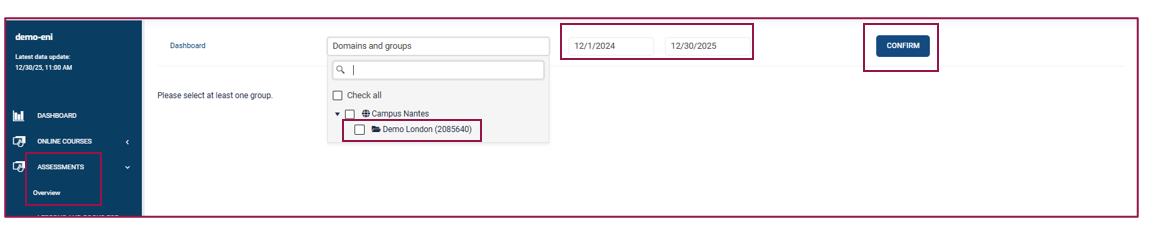
For an overview of the results, click on the Reporting Space icon in the top menu of the portal.

In the left menu, select "Assessments" then "Overview."
You can filter the data by domain, group, or date range (or leave these fields empty to get all data), then click "Confirm."
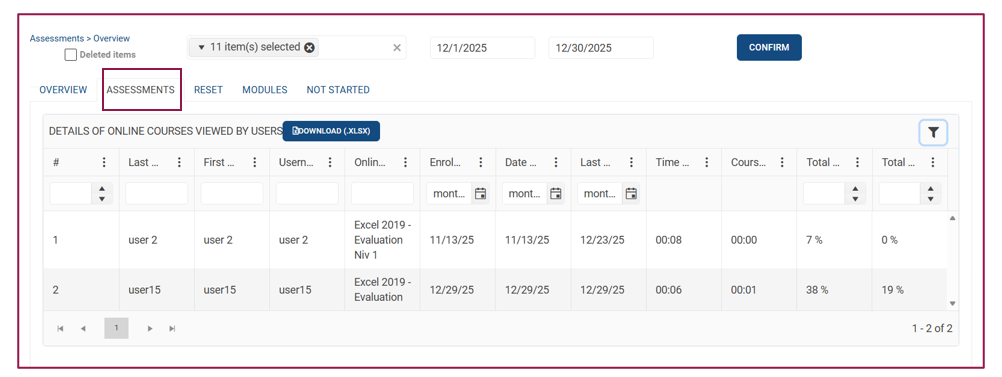
Five tabs are available, two of which are specific to assessments:
- The "Assessment" tab displays the results of ongoing or completed assessments for each learner.
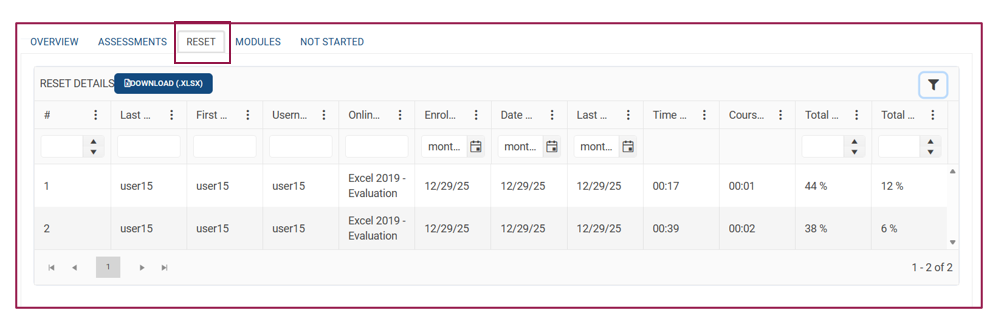
- The "Reset" tab displays the previous results of assessment for learners who chose to restart their assessment. Each row represents a reset of the assessment. For example, if a learner has reset their assessment twice, two rows will appear in this tab.
In the example below, the learner has reset their assessment twice. The two previous resets are displayed on separate lines in the screenshot below in the "Reset" tab.
The ongoing assessment is visible in the screenshot above in the "Assessment" tab.
For more information on the data in the reporting space, you can refer to the following article.