
How to access your reporting space
From your ENI Portal administration console, click on the icon 

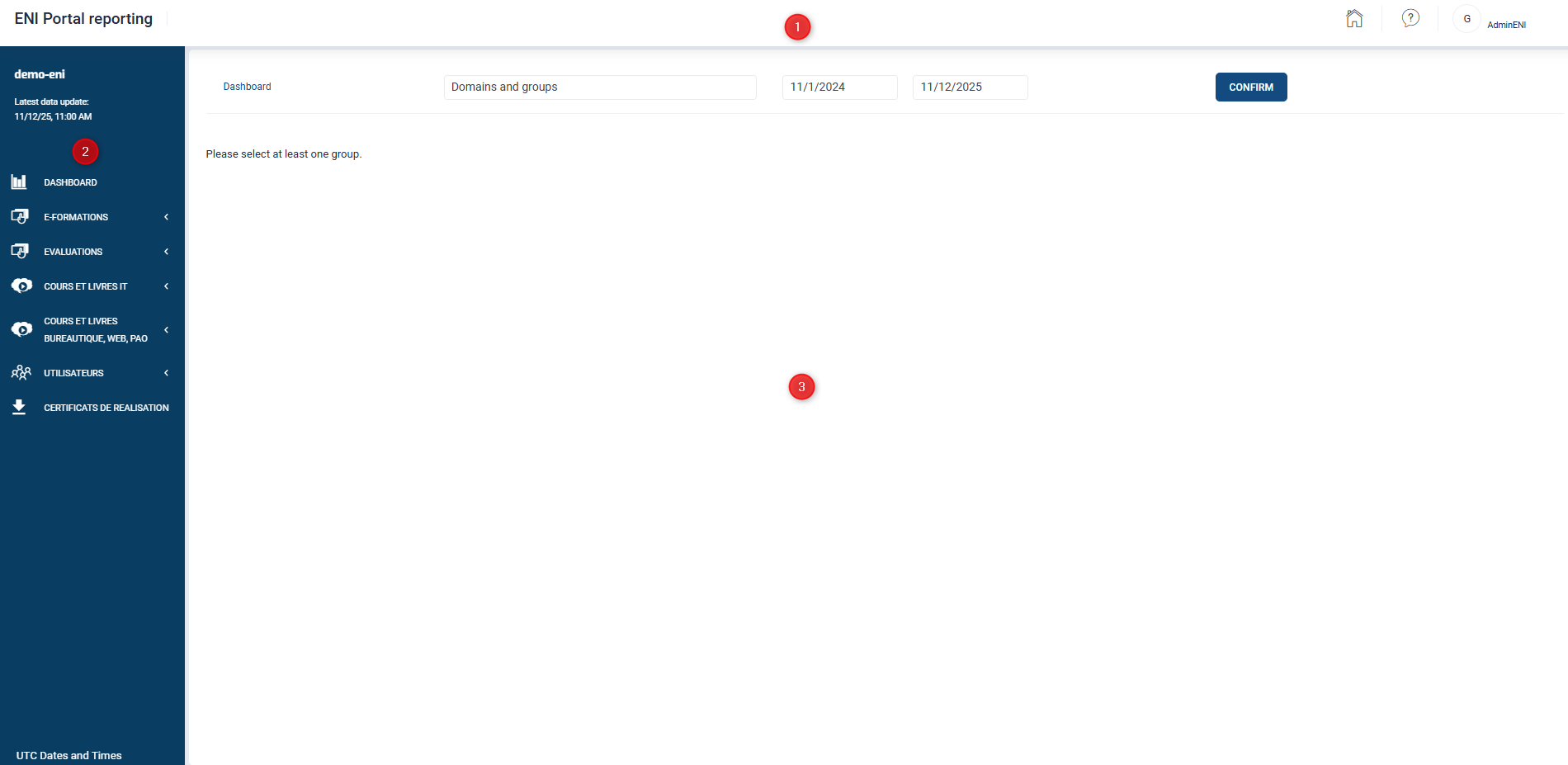
Your window is divided into 3 parts:
- The top banner
- The Navigation panel on the left of your screen offers different types of reports, visible or not, depending on your subscription.
- The display area at the center of the screen.
The reporting space is updated with your learners’ data source twice a day.
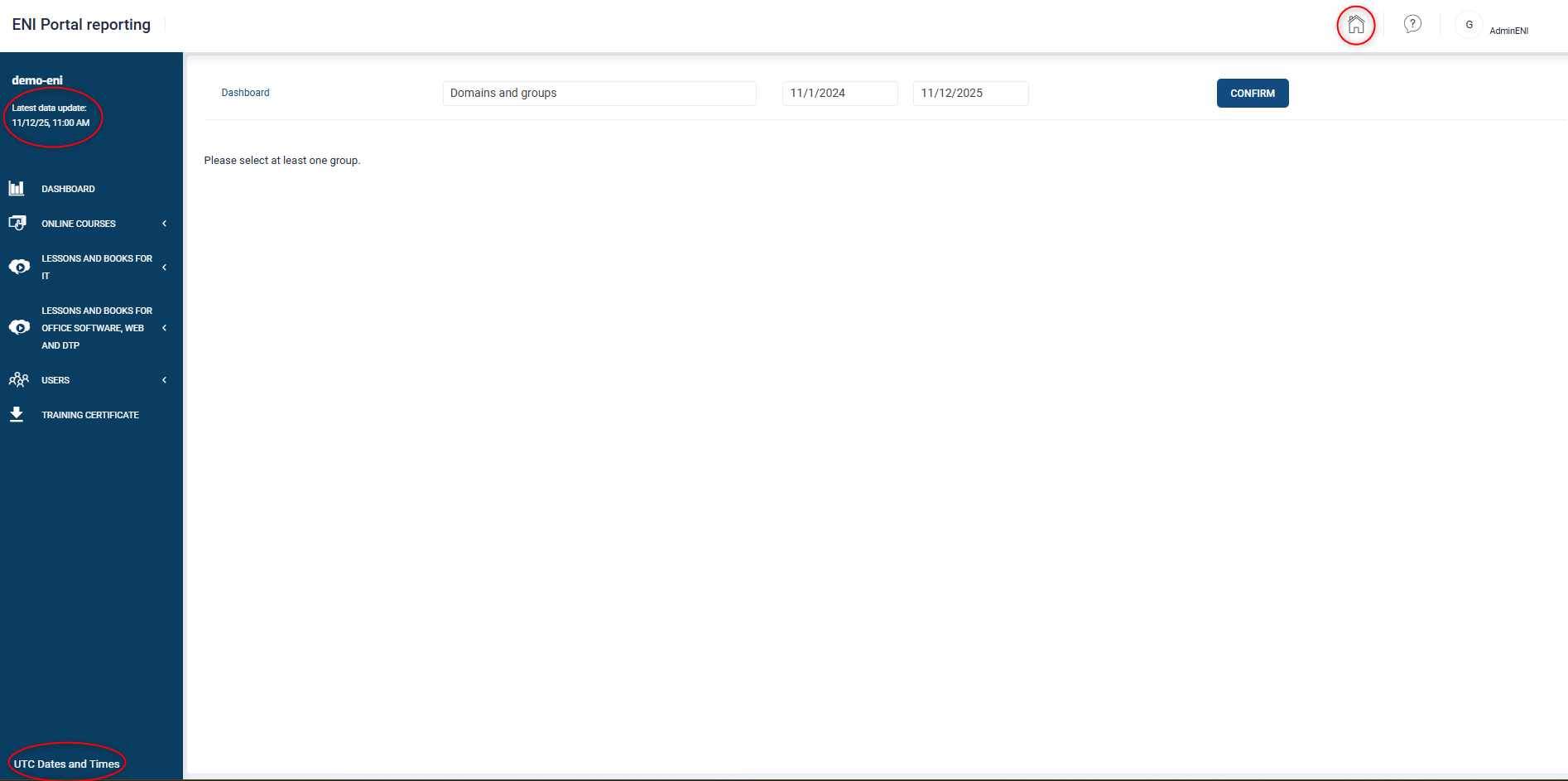
The latest data update is shown at the top of the Navigation Pane on the left side of the screen.
The dates and times displayed at the bottom of the navigation pane are in UTC (Universal Coordinated Time) format to comply with the international time standard. (The data returned to you will also comply with this standard).
To help you navigate and understand the terms used, a glossary is available by clicking on this icon 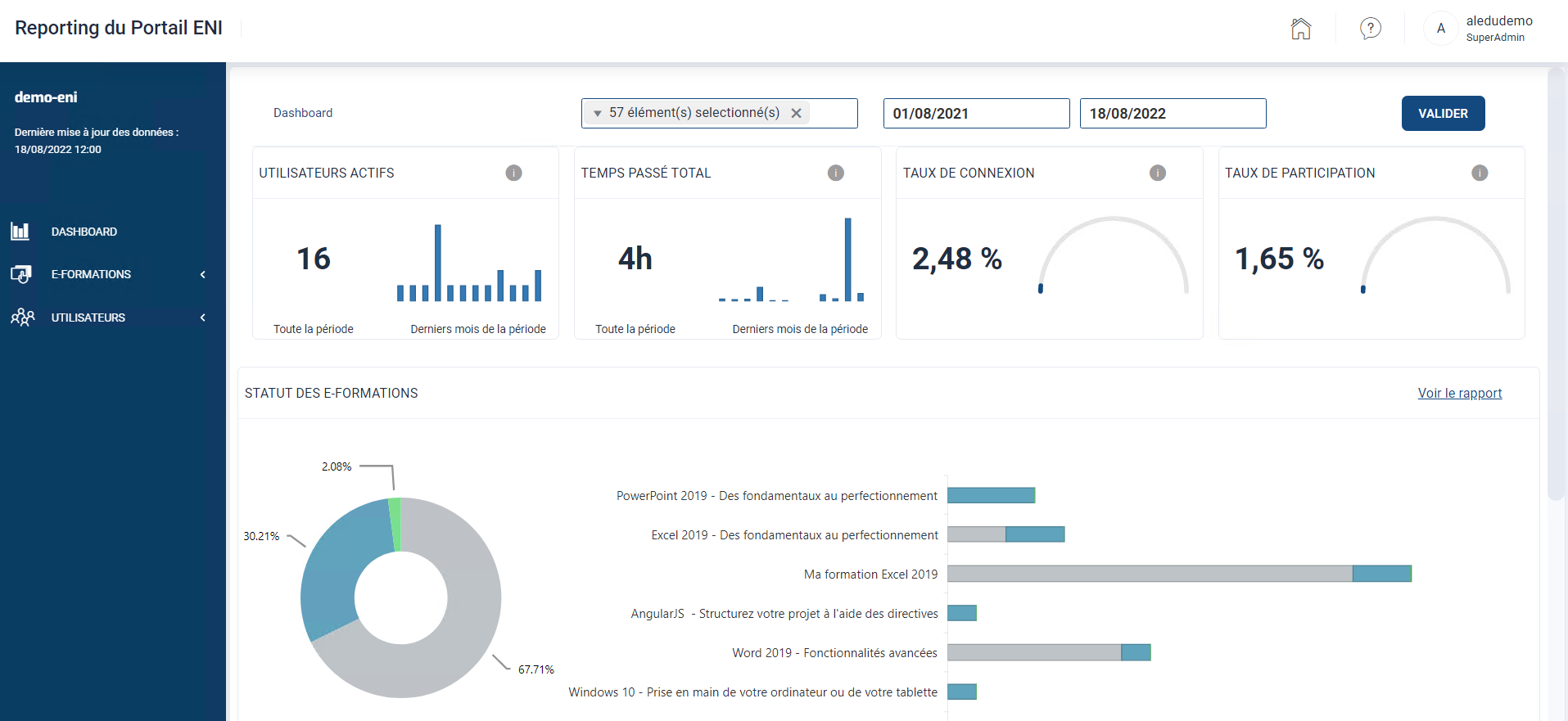 in the top banner.
The Dashboard
The Dashboard is the central tool that will allow you, as administrators and/or tutors, to view key information on your learner’s ongoing course.
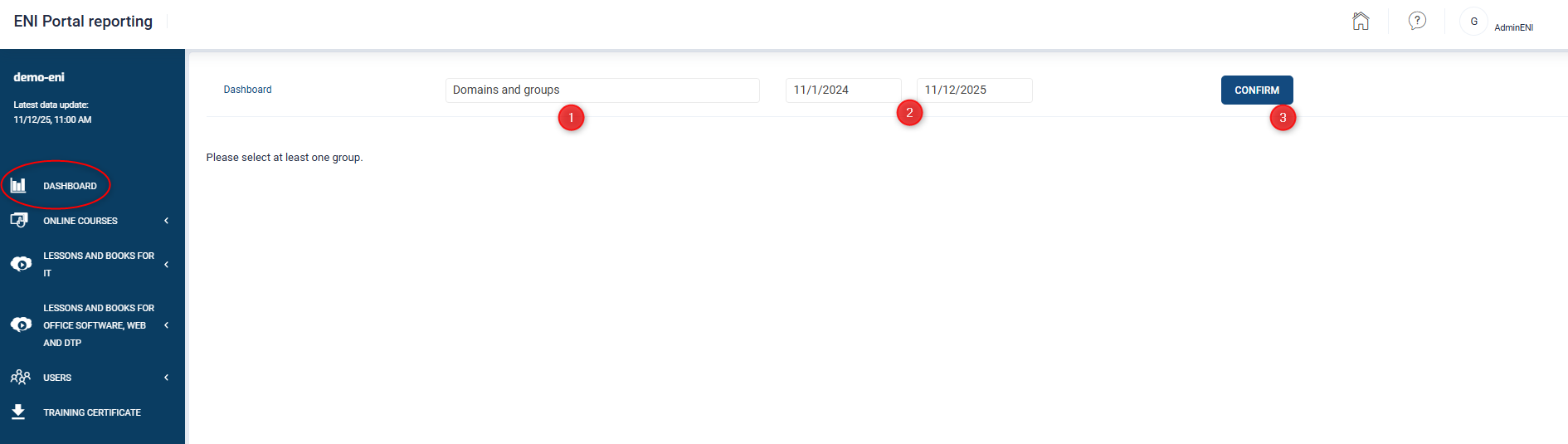
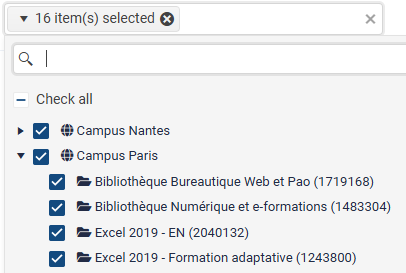
- In the Domains and groups field, select the domain(s) or group(s) for which you want to retrieve an overview.
Enter, if necessary, your date ranges corresponding to the period for which you wish to obtain a report (by default, the last 12 months are selected).
Click the Confirm button.

Different elements appear on the screen depending on your subscription:
Active users or Number of unique users logged in over the period. Hovering your mouse over the graph will display the number of active learners per month. A learner is considered active when they click on a resource (online course, book, video) made available to them.
Total time spent or Total time spent over the period. This represents the time your learners have spent consulting online courses, videos, or books (excluding browsing time) during the selected period. Hovering your mouse over the graph will display the total monthly time spent.
Login rate or Number of active users/number of users enrolled. It represents the percentage of learners who have consulted a resource (online course, book, video) and were enrolled within the period chosen.
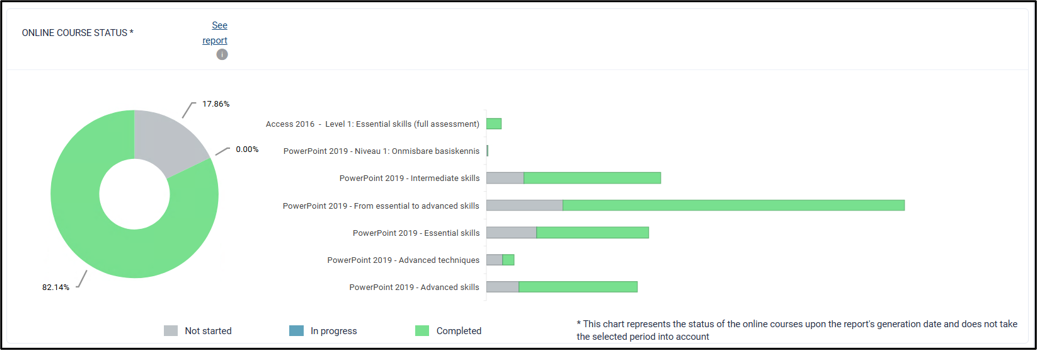
Online course status: Percentage breakdown of statuses: not started, in progress, and completed.
Please note that this breakdown does not take into account the selected period. It represents the status of e-learning courses as of the date the report was generated.
Clicking on See report will take you directly to the Online courses section. It can also be accessed by clicking on Online courses and then Overview in the navigation pane on the left side of the screen.
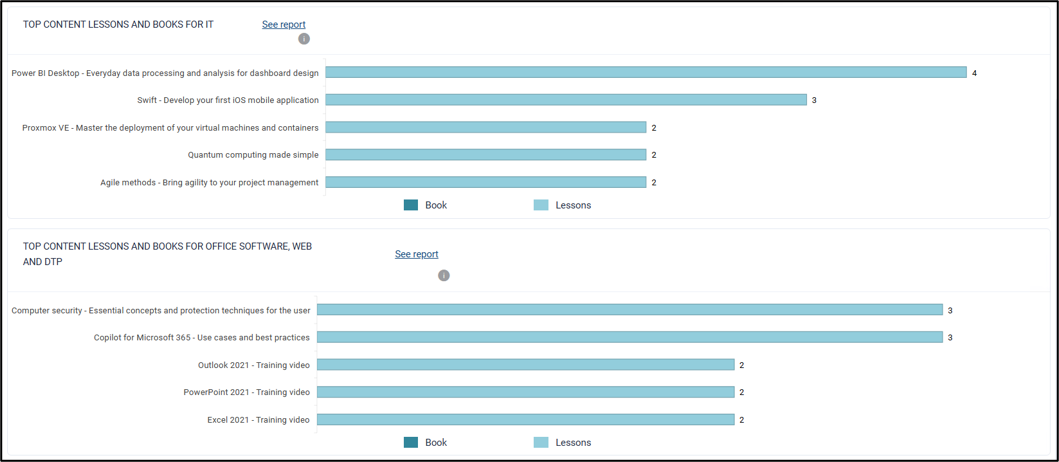
Top content Lessons and books for IT: Breakdown of the 5 most consulted IT lessons or books during the period. The number of unique learners who consulted each resource is displayed on the selected graph (visible with a subscription to an IT digital library).
Top content Lessons and books for office software, Web and DTP: Breakdown of the 5 most consulted lessons or books during the period. The number of unique learners who consulted each resource is displayed on the selected graph (visible with a subscription to an office software, web and DTP digital library).
By clicking on See report, you will be taken directly to the section dedicated to consulting reports for your IT or Office, Web, and DTP digital library. It is also accessible by clicking on Lessons and books for IT in the navigation pane on the left of the screen, then on Overview, or on Lessons and books for office software, web and DTP, and then on Overview.
The Online courses section
The Online courses section is designed to provide administrators and tutors with detailed data and analyses on elearning activities.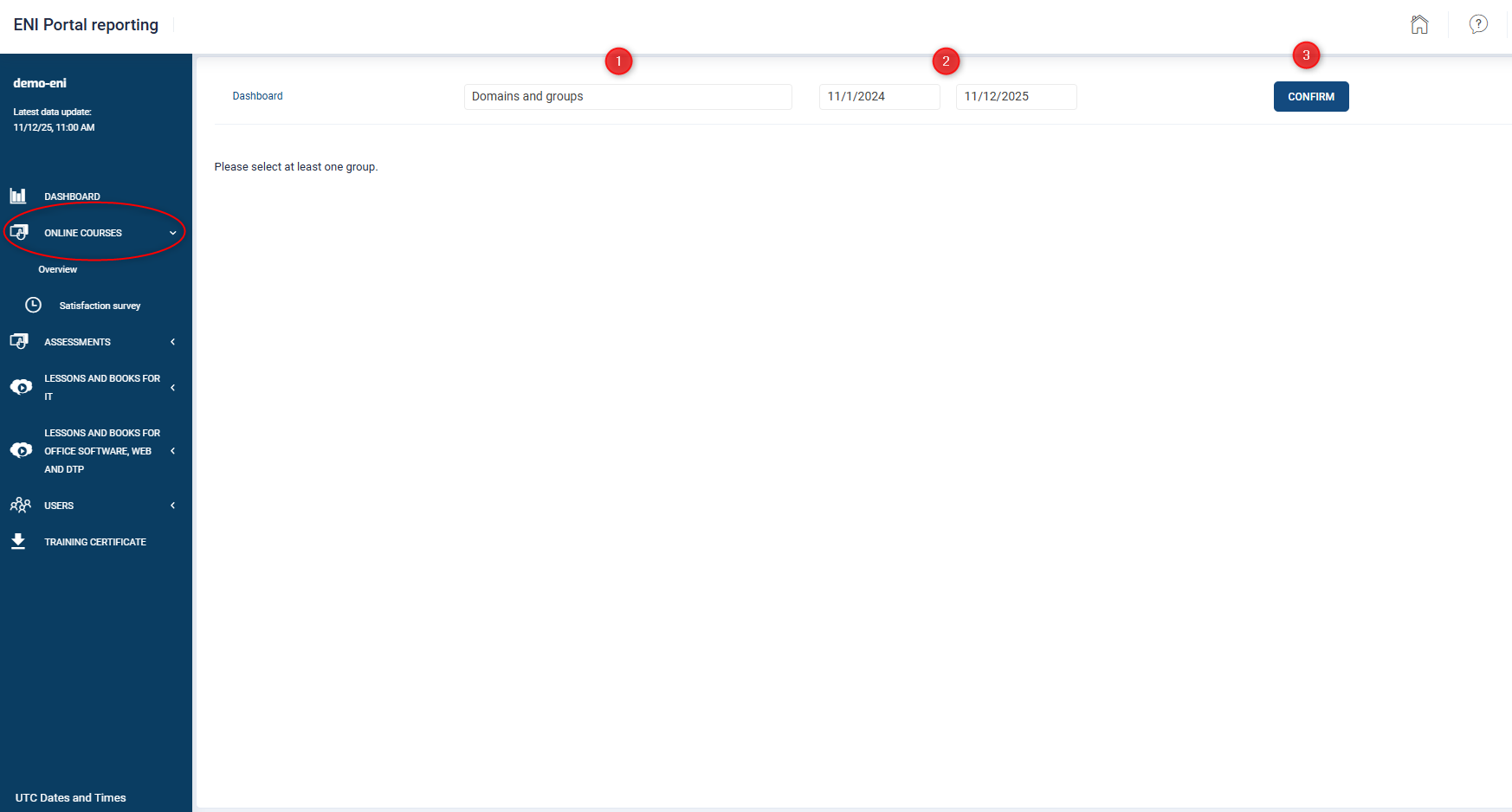
In the Domains and Groups field are, select domain(s) and/or group(s) for which you would like an overview.
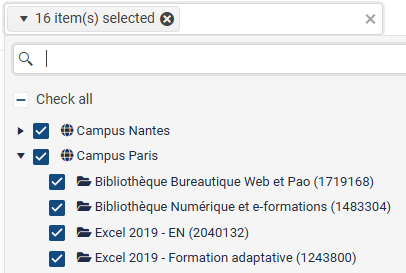
If necessary, enter your date ranges corresponding to the period for which you wish to obtain a report (by default, the last 12 months are selected).
Click the Confirm button
Four tabs are available:

- The Overview tab
- The Online Courses tab
- The Modules tab
- The Not Started tab
Two important notions to remember:
- The Total time corresponds to the strict training time that the learner spends on the online course within lessons, exercises, videos and books. Browsing time is excluded.
- The Time logged in includes both the strict training time and the time the learner spends browsing in the Portal.
The overview tab
This tab displays general statistical information
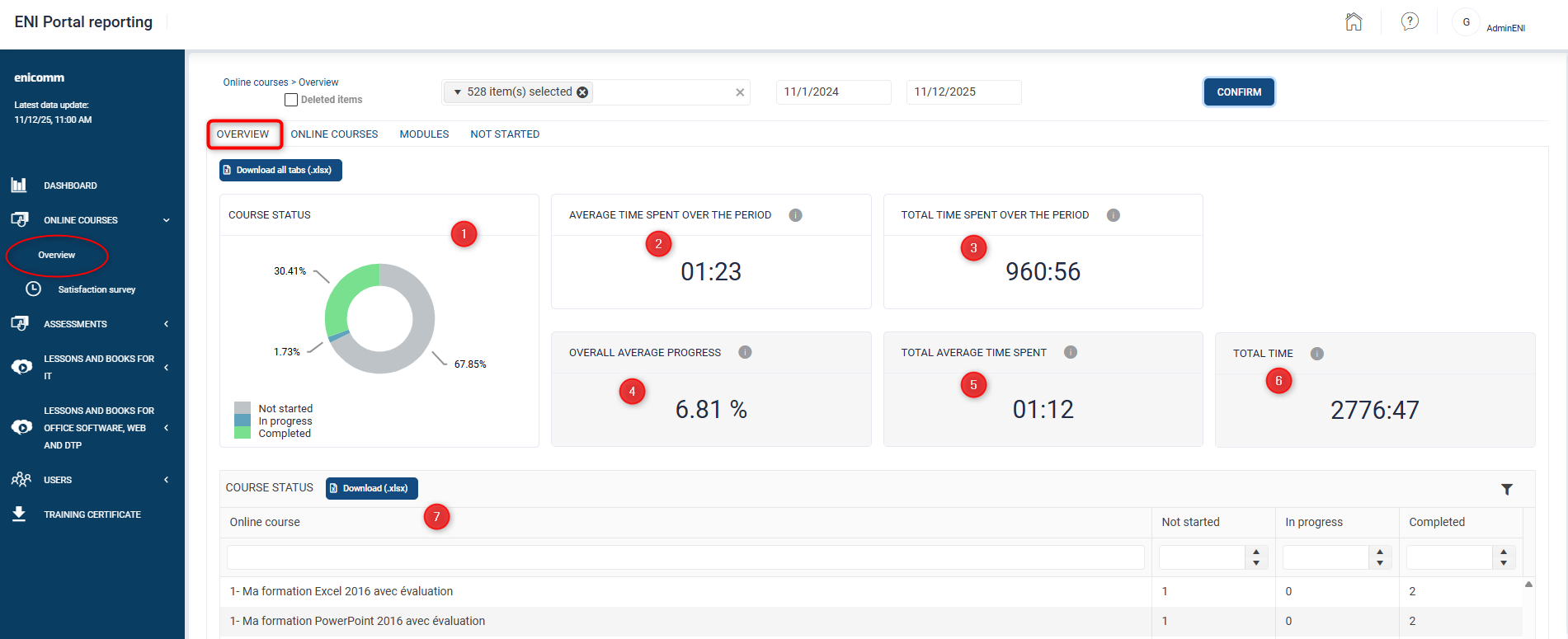
- Course status since the Portal's creation. Breakdown by status: not started, in progress, and completed.
- Average time spent over the period: This refers to the average time spent per learner on the Portal over the selected period. Browsing time is excluded.
- Total time spent over the period: This refers to the total time spent by all learners over the selected period. Browsing time is excluded.
- Overall average progress, since the Portal's creation, this figure includes both regular learners who are actively following their training and those who have logged into their online course for the first time but have not yet begun their learning path.
- Total average time spent: This refers to the average time logged in by learners on lessons, exercises, videos, and books since the Portal's creation.
- Total time: This refers to the total time logged in by learners on lessons, exercises, videos, and books since the Portal was created.
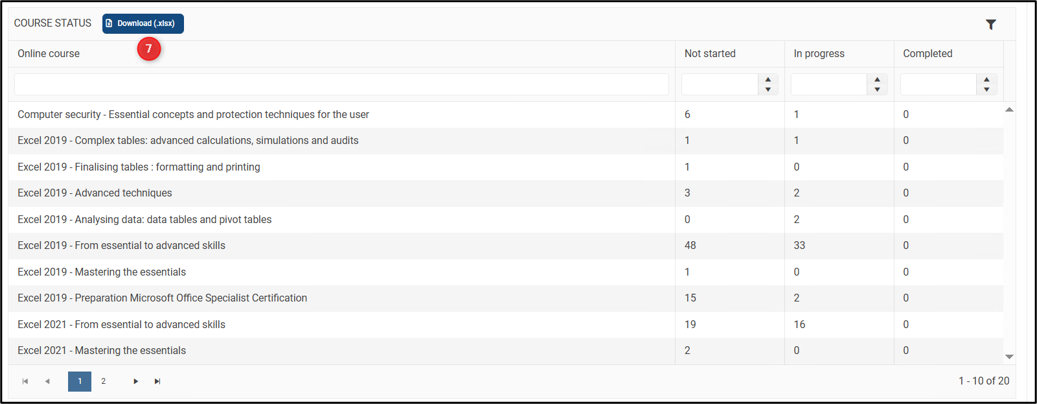
- Course status: List of online courses available to your learners, and, for each course, the number of courses not started, in progress, or completed. You can download this list in Excel format. You can filter the list at any time and then click the "Download" button to save your selection in Excel format.
(Note: This table does not take into account the selected period).
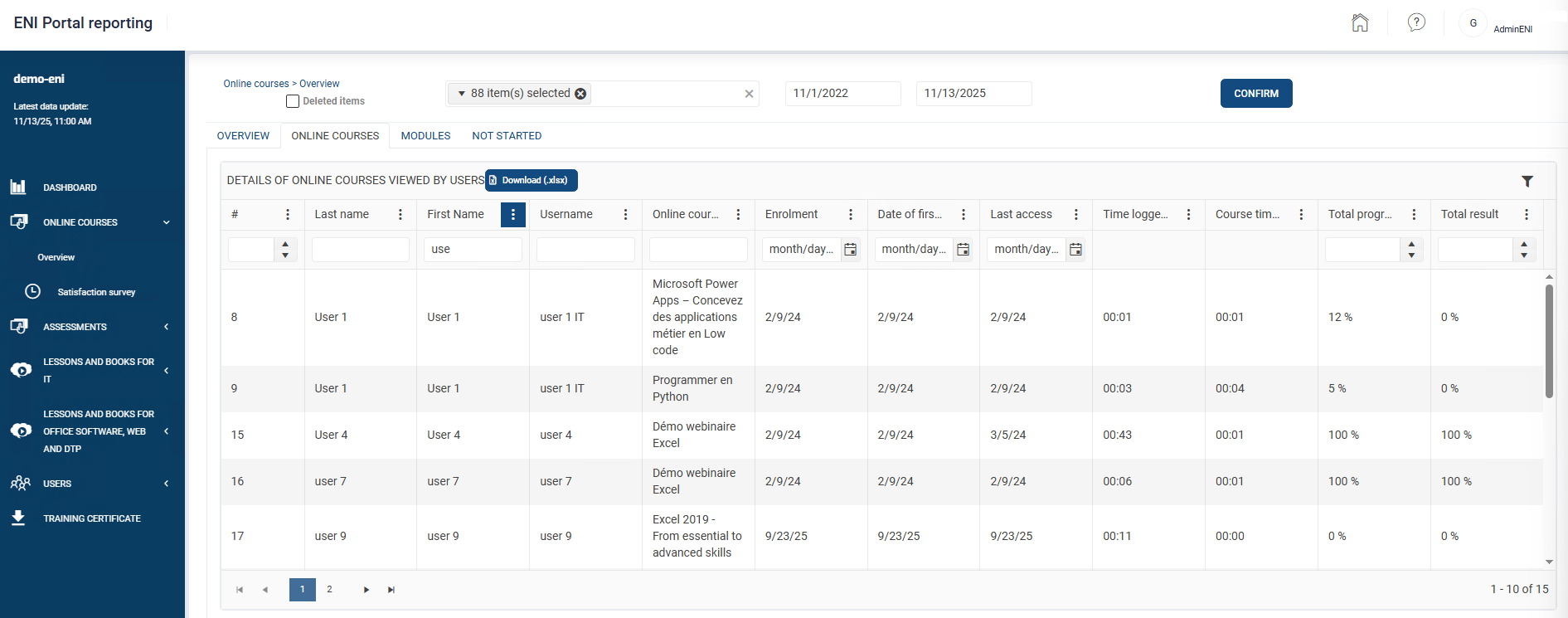
The online courses tab
This tab provides you with data (progress, results, etc.) dedicated to each online course in its entirety (all modules combined).
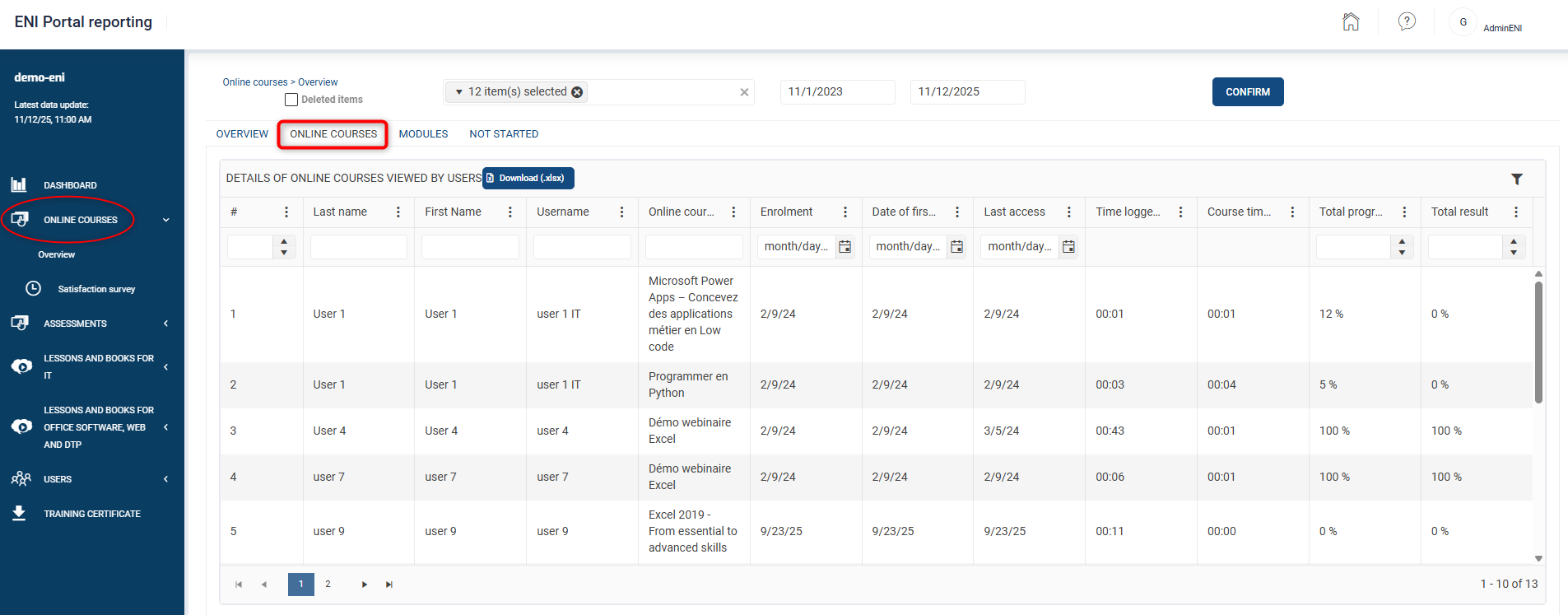
In the table, you have a certain amount of information displayed in columns. (Example: Last Name, First Name, login, …)
The modules tab
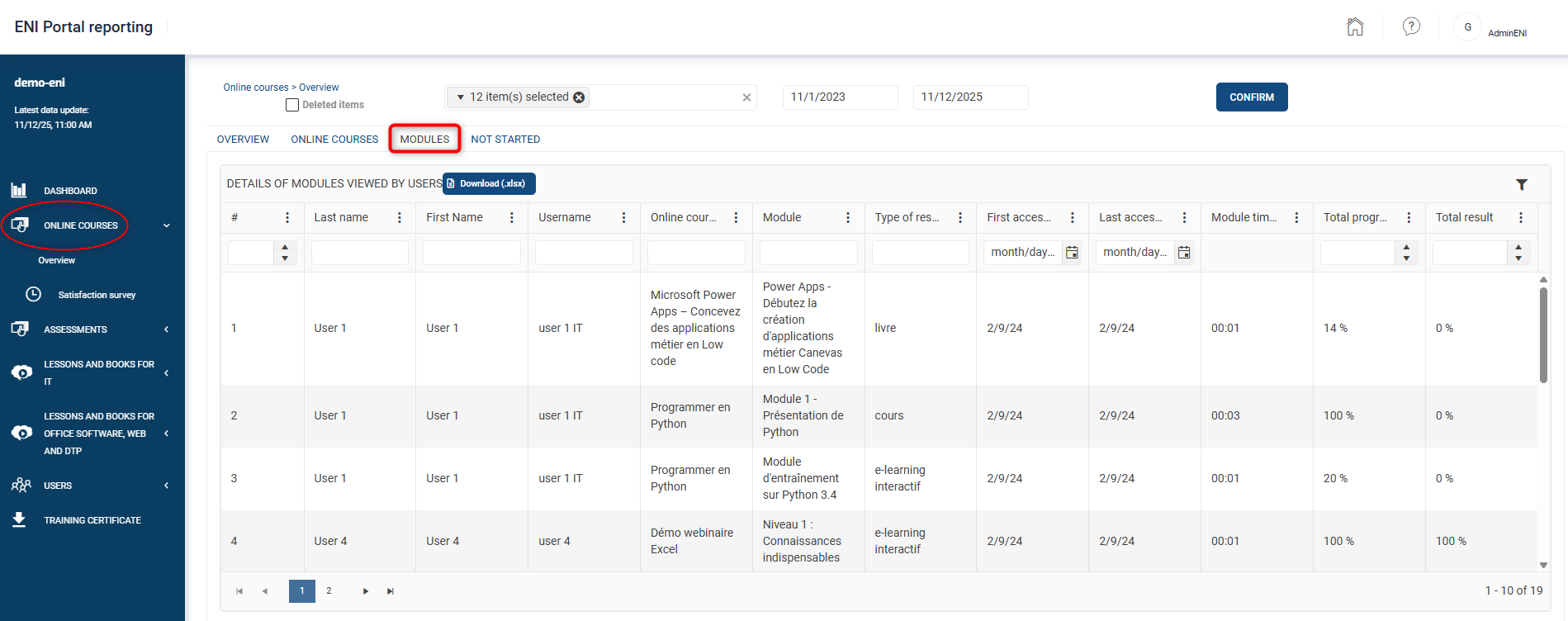
This tab provides detailed information for each module accessed by your learners in the online course(s) assigned to them.
The not started tab
This tab shows you the list of learners enrolled for one or more courses but who have not yet accessed their online course(s).
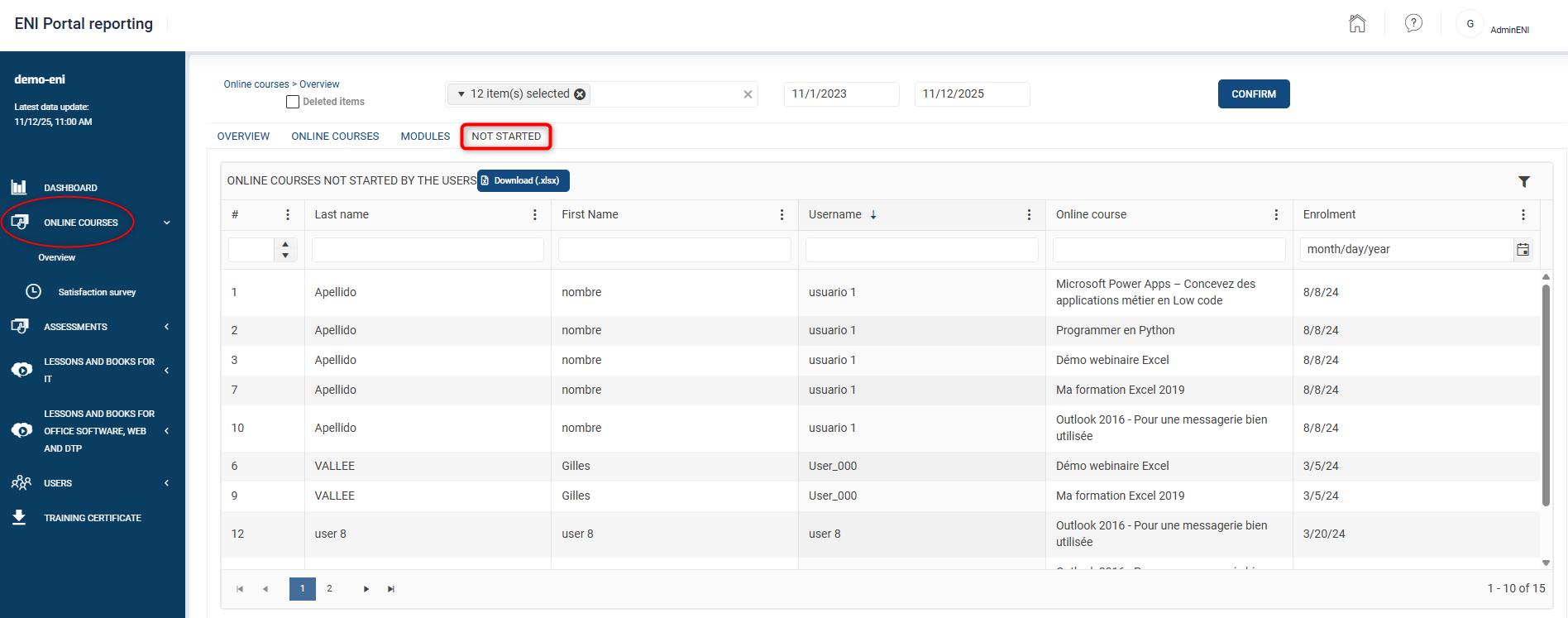
A learner with two assigned online courses, one consulted and the other not, will appear in both the "Online courses" tab and the "Not started" tab.
The « Assessments » section
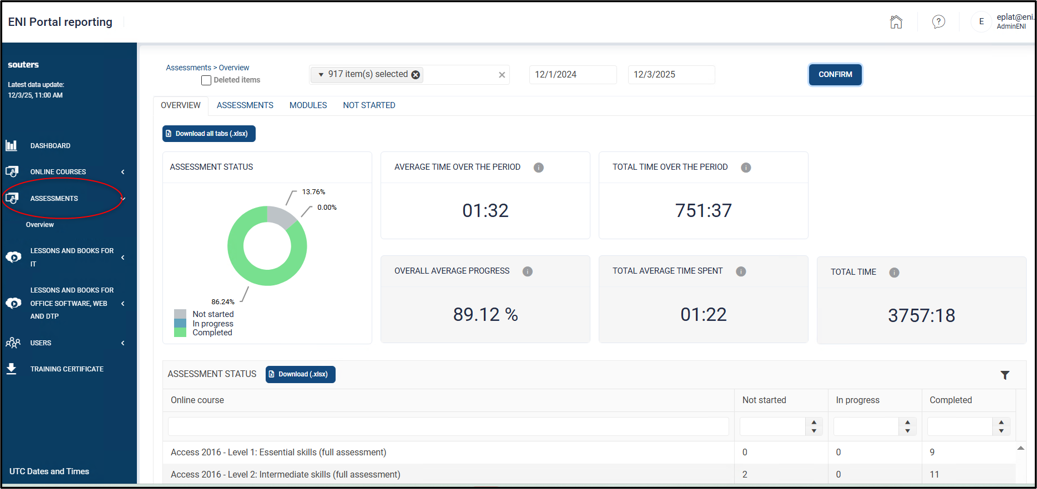
The Assessments section is designed like the Online courses section. It provides you with detailed data and analyses for your assessments only.
It has the same tabs and displays the same statistics as described for the online courses section (see previous section).
The « Users » section
The Users section allows you to access different statements depending on your business model:
- The "Login statement"
- The "List of registered users (package)”
- The “List of licences upon enrolment”
The Login statement
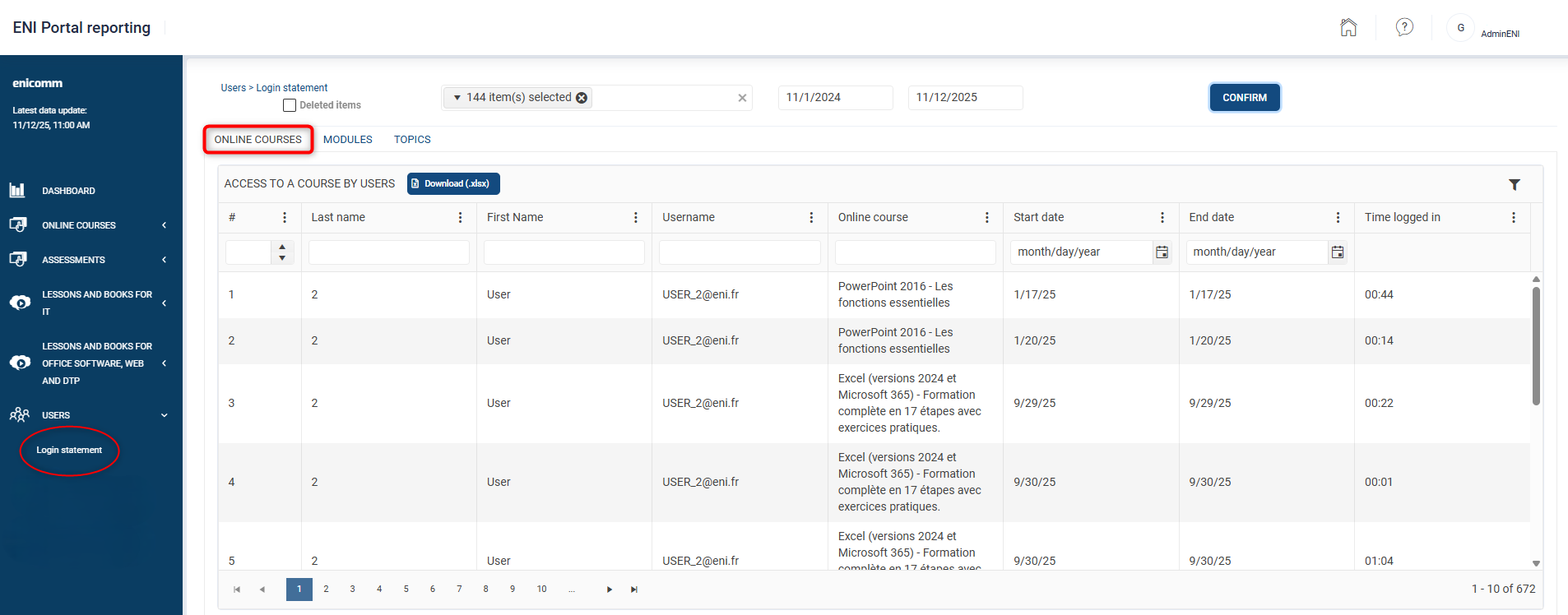
This statement details the online activities of your learners. It is visible for any learner who has accessed an online course.
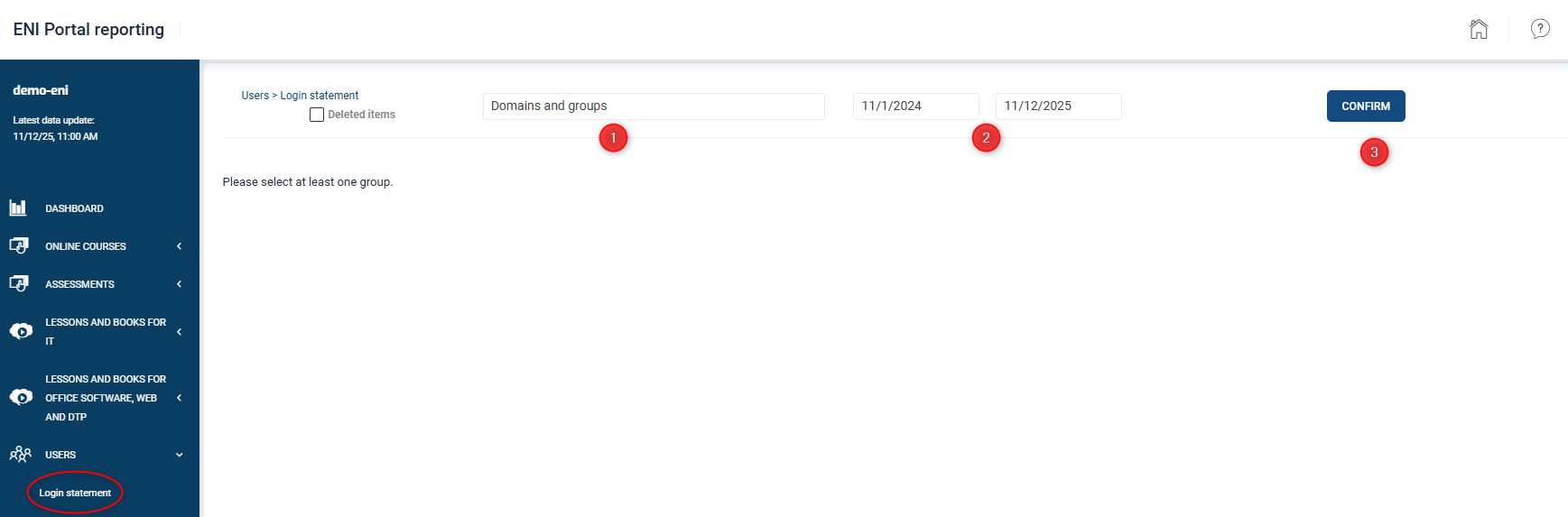
- In the Domains and groups field, Select the domain(s) and/or group(s) for which you would like an overview.
- If necessary, enter your date ranges corresponding to the period for which you wish to obtain a report (by default, the last 12 months are selected).
- Click the Confirm button.
The Deleted items option allows you to extract from the report, learners who have been deleted from the administration console during the selected period. (Note: This option may significantly increase loading time).
The Login statement consists of three tabs
- The Online courses tab
- The Modules tab
- The Topics tab
The Online courses tab
It allows you to obtain logs with the start date, end date or time logged in for a learner for each login session to their online course.
The Modules tab
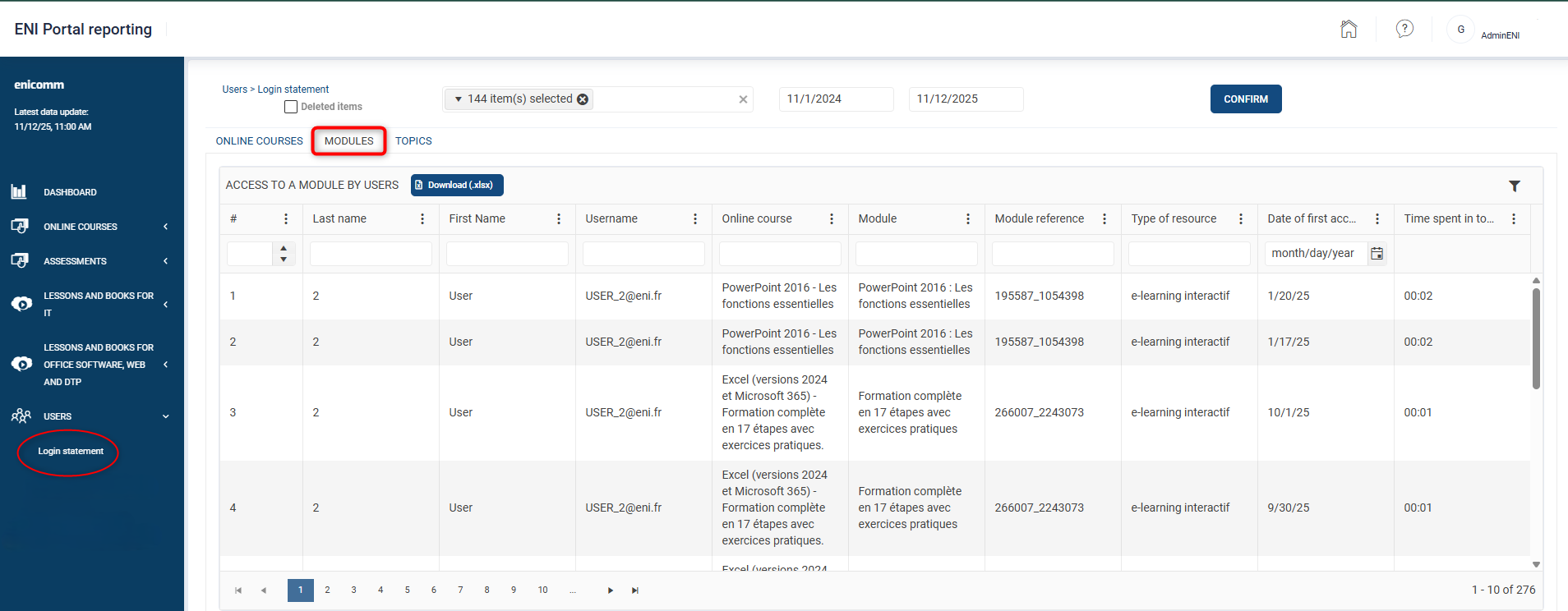
This tab allows you to obtain logs for a group of learners or a particular learner, for each login session to an online module.
The Topics tab
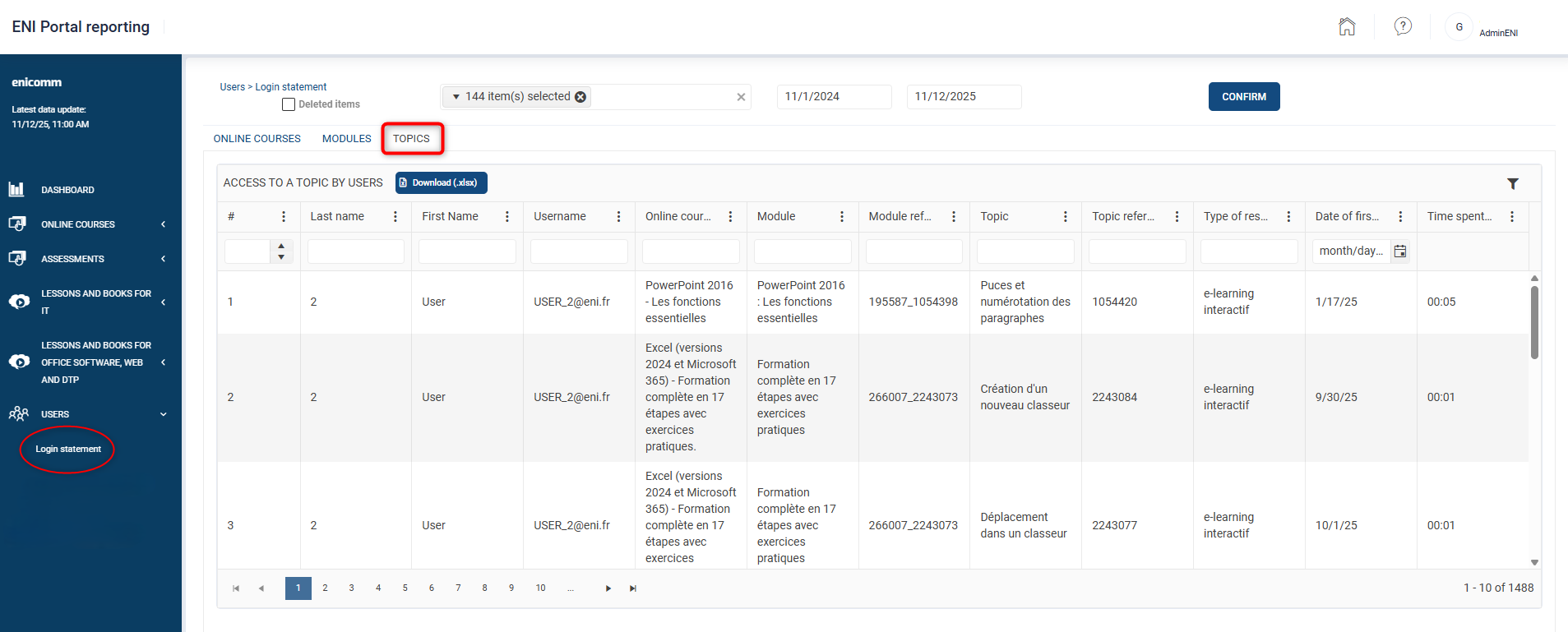
This tab allows you to obtain the logs for a group of learners or of a particular learner down to the topic (exercise) of a module of an online course.
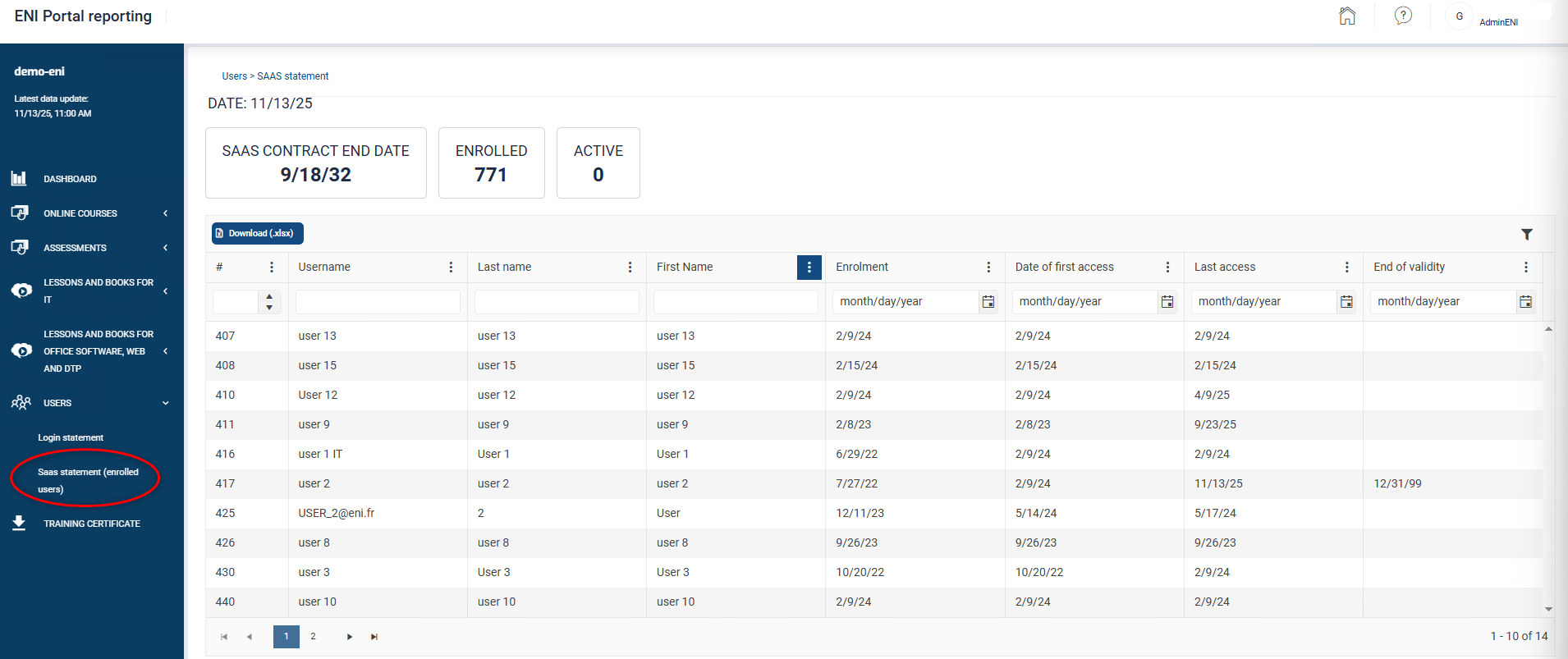
The list of registered users (package)
This statement details the number of learners enrolled during the current Package subscription.
- For more details on our Package Office, Web et DTP, click here.
Note : If you do not see the List of registered users (package) in the Users section, press <CTRL><F5> on your keyboard to refresh the page and clear your browsing history.
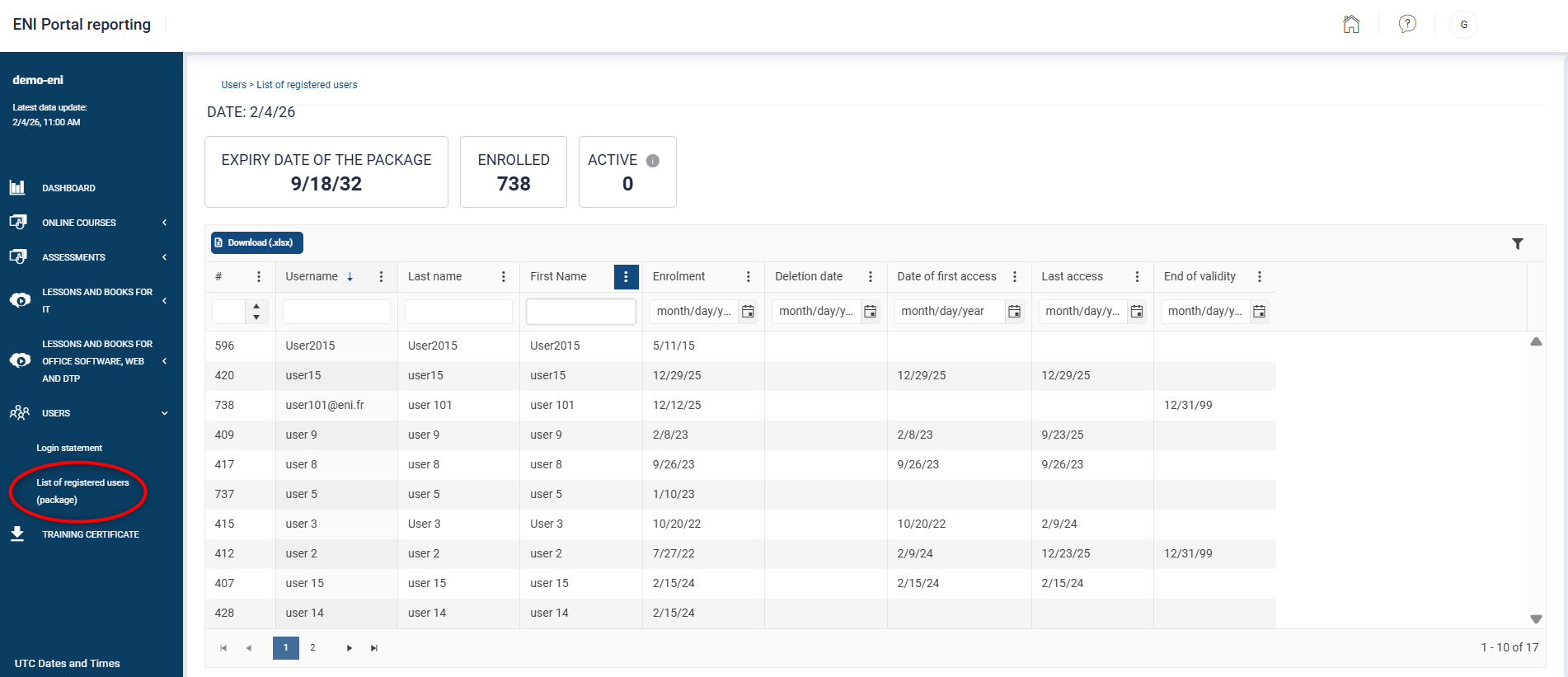
Date: Today's date.
Expiry date of package: package contract end date.
Enrolled: Number of learners enrolled as of today's date. Learners deleted during the current contract or whose End of validity date falls within the current contract will be counted as enrolled.
Active: Number of learners who logged in at least once to an e-learning course or video/book resource during the package period.
List of licences upon enrolment
This statement allows you to obtain the number of licenses used upon enrolment.
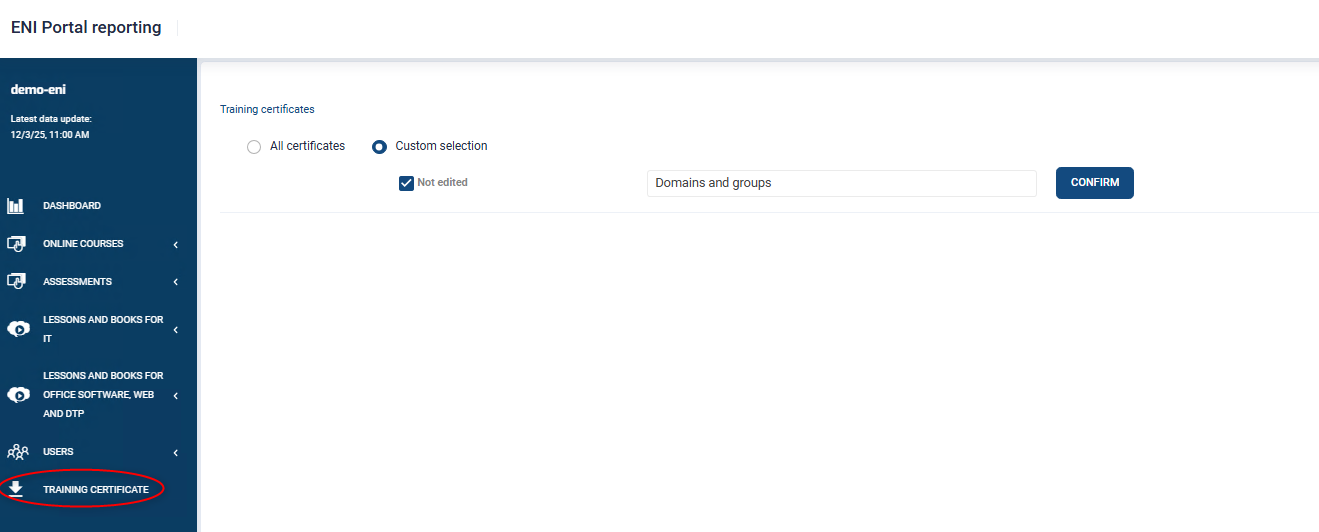
The “Training Certificate” section
This section allows you to edit training certificates in bulk for your learners. For more information, please follow this link.
Customize the display of reports for different sections
All of our reports offer customizable data display.
Define the columns to display
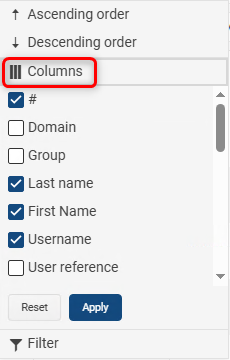
Click on the 3 small dots to the right of a column heading to access the Columns option
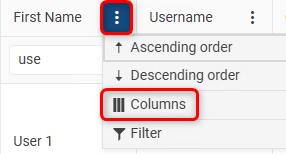
In the drop-down list, check or uncheck the additional columns you want to appear or not in your report and click on the Apply button.
Sort and filter the display of reports
By clicking on the three small dots to the right of a column heading, you can access the sorting and filtering options.
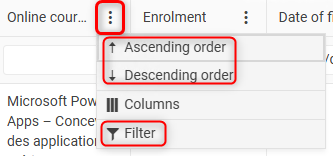
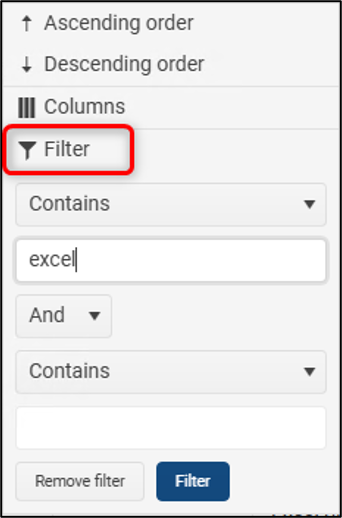
To perform a filter, click on the "Filter" option and then fill in the different fields according to your filter query. Click on the Filter button to apply your filter.
You can also filter more quickly by inputting your filter criteria in the relevant columns.
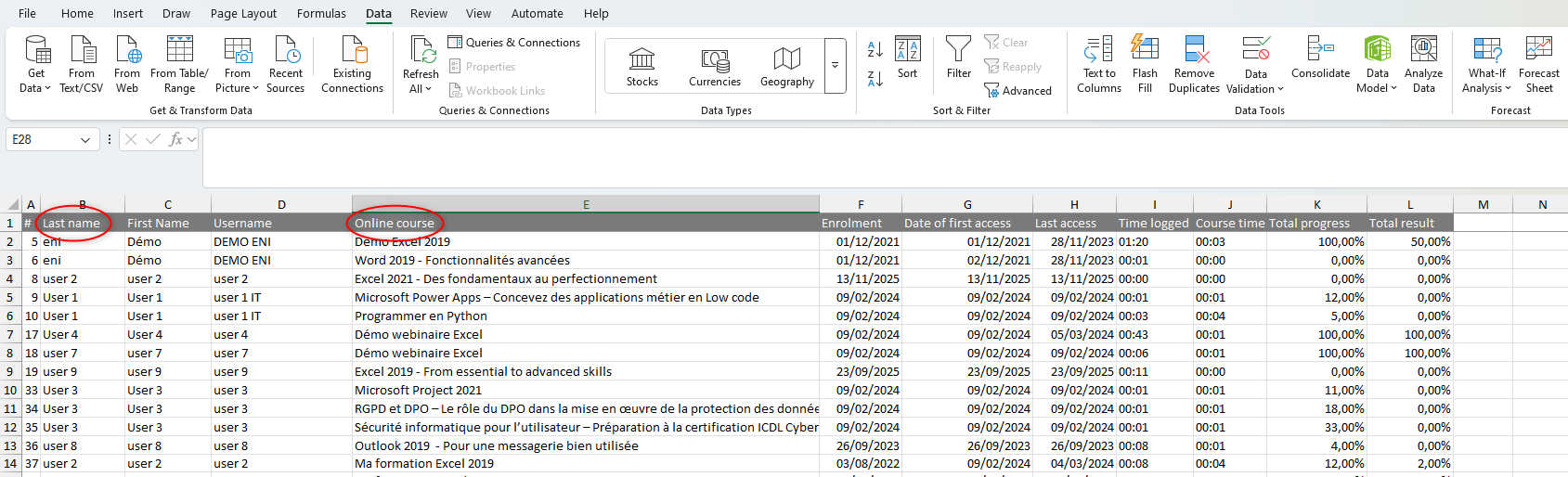
In the example below, the criterion "ENI" was entered in the Name column and the criterion "Excel" in the online courses column :
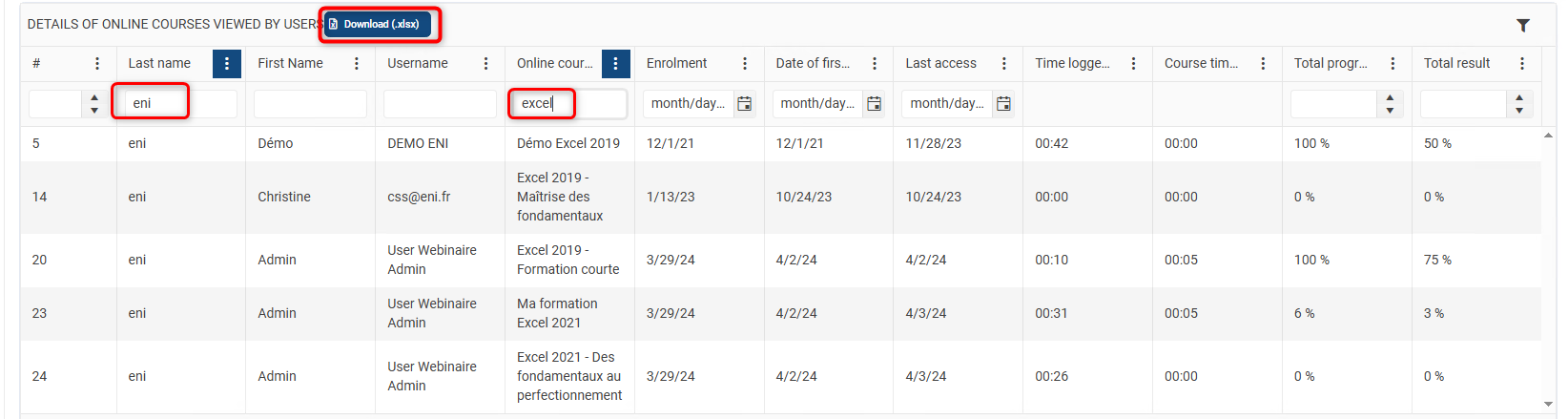
When you download an Excel report using the Download button, regardless of its source, you will only download the selected columns and the data corresponding to the filters and sorts applied.
To go further with your Excel data
Here's how to convert your data so that it can be used in Excel.
In this example, the data presented in the column are durations and should therefore be right-aligned in the column to allow for calculations.
Indeed, we can see that if we perform a simple sum of the column, Excel displays 0.
Excel does not recognize this data as numeric but as alphabetic data. Therefore, it is necessary to convert it to allow you to perform calculations.
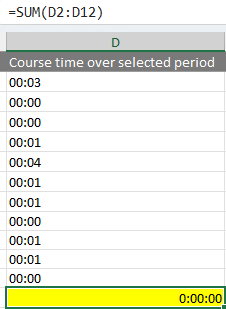
- Select the data to convert
- Data tab, Convert Text to Columns icon
A three-step assistant is displayed:
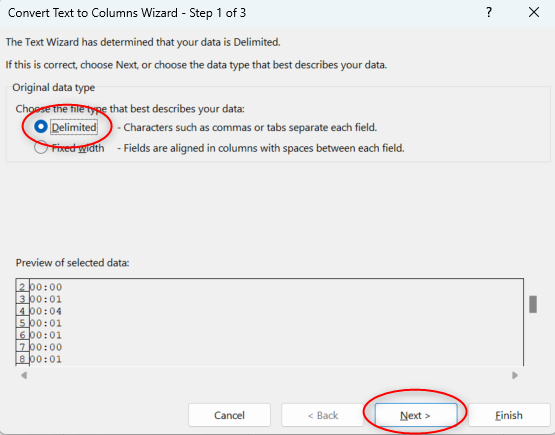
Select the Delimited option and click the Next button
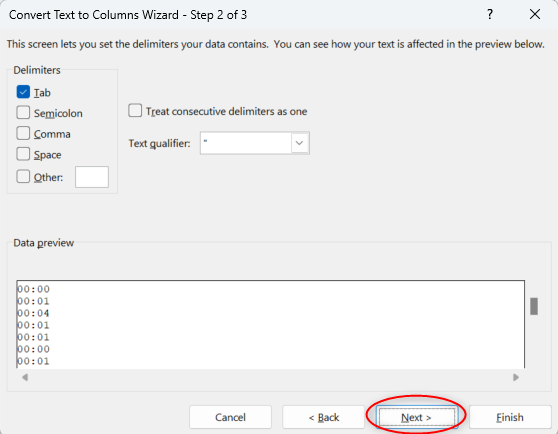
Leave the default settings and click the Next button
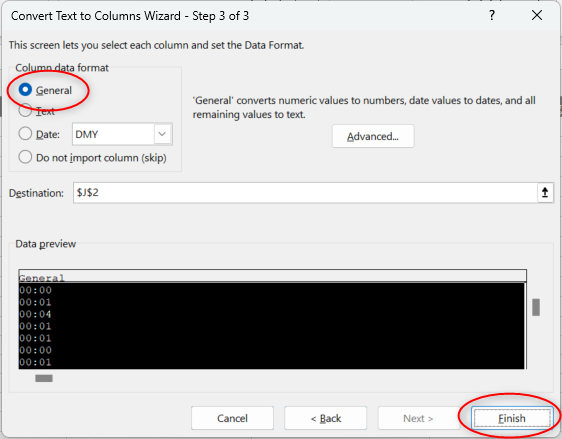
Make sure the Standard option is selected, the click the Finish button.
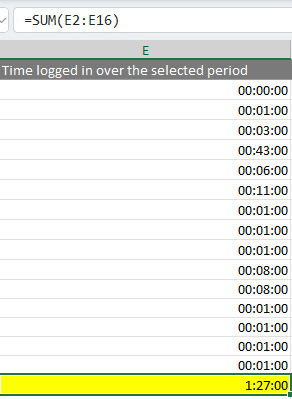
The data automatically aligns to the right of the column, and the calculation cell now displays the sum of the durations.
Glossary
List of columns available in all reports from different spaces.
Domain: domain name in which you enrolled the learner.
Group: name of the group in which you enrolled the learner.
Username: name that allows the learner to log in to their training space. We recommend a professional email address.
User reference: ENI user reference (it is unique in our databases).
Online Course: title of the online course assigned to the learner.
Course reference: ENI reference for online course (it is unique in our databases).
Enrolment: date on which the learner was enrolled in the online course.
Date of first access: date on which the learner first logged into their online course.
Last access: date on which the learner last logged into their online course.
Time logged in: total connection time to the online course, including browsing time.
Time logged in over the selected period: total connection time to the online course, including browsing time over the given period.
Total time: The learner's strict training time since their first access to the online course. Time spent browsing the Portal is excluded.
Course time over selected period: Total strict training time spent on the online course over the given period. Time spent browsing the Portal is excluded.
Total progress: Percentage of progress in online course calculated solely on mandatory modules.
Total result: Percentage of success on exercises. For e-courses without exercises (pedagogical points, with books and videos only) the percentage remains at 0%.
Deleted: indicates with the value "True" or "False" whether the learner's account has been deleted.
Active access: indicates with the value "True" or "False" whether the learner's access is active for a given online course.
Module: module name.
Module reference: module reference (it is unique in our databases).
Required: "Yes" indicates a mandatory module (it must be completed to achieve 100% progress). "No" indicates an additional module.
Type of resource: indicates whether the resource is part of the interactive e-learning, a course (or video), or a book.
First access to the module: date of first access to the module
Last access to the module: date of last access to the module
Time spent on topics: total time spent completing interactive exercises, watching lessons and course videos, and reading book content.
Module time over selected period: strict time spent on a module over the period (based on the dates selected before displaying the report)
Date of first access: Date at which the learner connected to their online course for the very first time.
Last access: Date at which the learner connected to their online course for the very last time.
Topic: title of the question/exercise/teaching point
Topic reference: reference to the teaching point/exercise (it is unique in our databases).
Unsubscription: date on which a learner was unenrolled (only available in the list of licences upon enrolment statement)
Time of unsubscription: time at which a learner was unenrolled only available in the list of licences upon enrolment statement)
Time of first access: time at which the learner connected to their online course for the very first time.
Time of last access: time at which the learner connected to their online course for the very last time.